
Set up
Runs on your computer. Pick your agent and operating system.
Before you start
- Node.js 20 or newer
{
  "mcpServers": {
    "linkedin-job-mcp": {
      "command": "npx",
      "args": [
        "-y",
        "linkedin-jobs-mcp"
      ]
    }
  }
}
same format Cursor, GitHub Copilot CLI, Junie, JetBrains AI Assistant, Augment (Auggie CLI), Factory Droid, Kiro, Devin CLI +12
Values in angle brackets are placeholders. Restart Claude Desktop after editing its config.Claude Desktop docs
README
synced Oct 23, 2026LinkedIn Jobs MCP
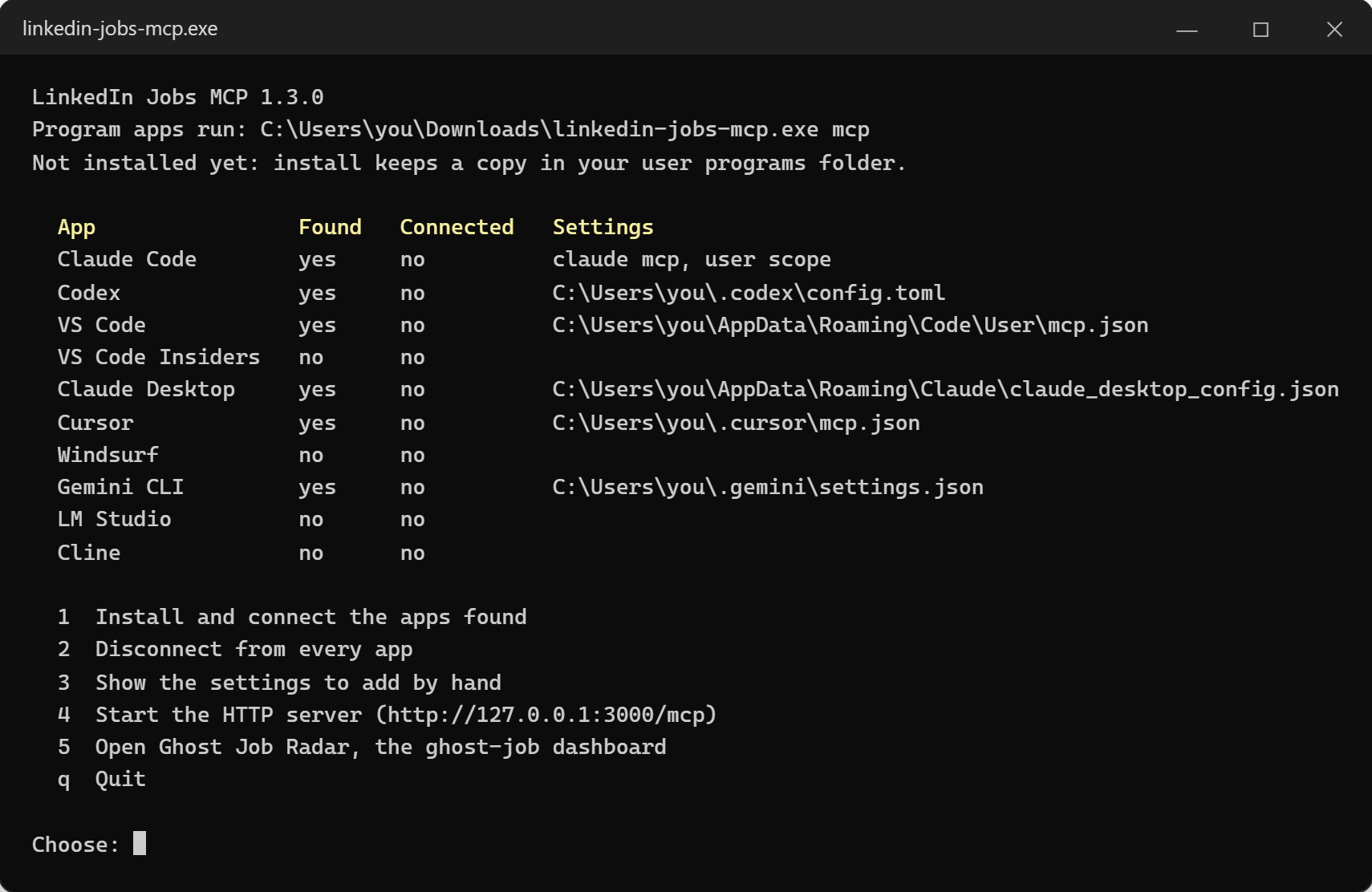
LinkedIn job search and full job details for your AI apps, plus Ghost Job Radar, a dashboard that shows which job postings are likely not really open. A Windows app connects itself to Claude Code, Codex, VS Code and other MCP clients; the same tools also come as an npm package, a REST API and a command line.




Tools
| Tool | What your AI app gets |
|---|---|
search_linkedin_jobs | Jobs by keyword and location, filtered by date, job type, remote work, salary, experience level, verified postings or fewer than 10 applicants |
get_linkedin_job_details | One job's full description, seniority, employment type, industries, posting age and applicant count |
check_ghost_job | Ghost Job Radar's grade for one posting: how likely it is a ghost job, your chance against the competition, and the facts behind it. Needs the radar running |
It reads LinkedIn's public job pages, so it needs no account and no browser. Requests are spaced out and cached.
Ghost Job Radar
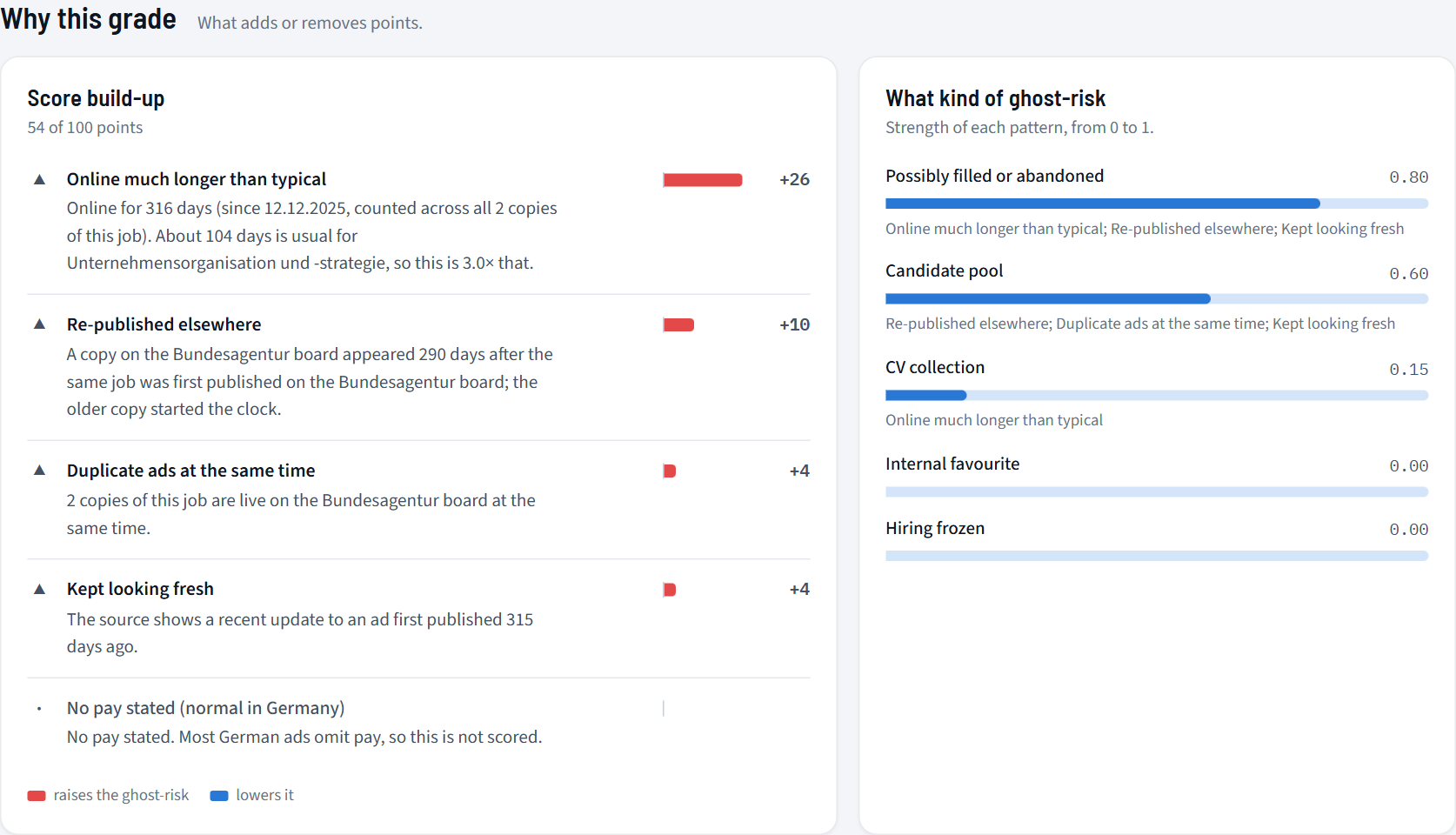
A dashboard on your computer that grades every job it sees for ghost-job risk: postings that stay up far longer than usual for their occupation, reposts with unchanged text, jobs gone from the employer's own site, start dates long past, talent-pool wording, layoff news while still hiring, and what you know about the employer. Every job gets three separate verdicts: ghost-risk, your chance, and whether the employer answers.
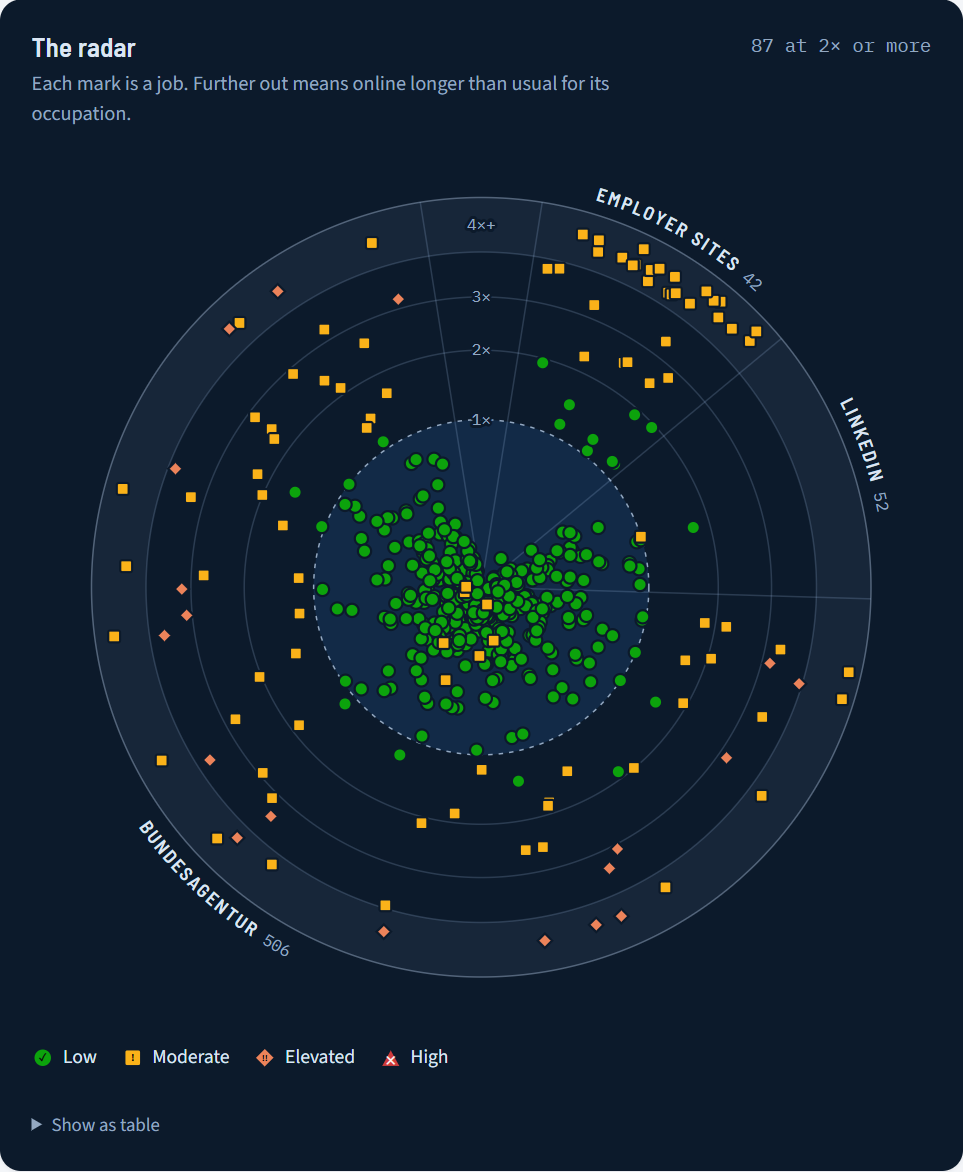
linkedin-jobs-mcp radar
With the Windows app, choose 5 in its menu or run .\linkedin-jobs-mcp.exe radar. It needs
Python 3.11 or newer. The first start sets up the radar's Python environment;
every start also runs the LinkedIn source, so LinkedIn search and job pages work right away. Your data stays on your
computer, in %LOCALAPPDATA%\linkedin-jobs-mcp\radar (macOS: ~/Library/Application Support/linkedin-jobs-mcp/radar,
Linux: ~/.local/share/linkedin-jobs-mcp/radar). A .env file there switches on more sources, such as the
Bundesagentur job board or Google for Jobs; radar/README.md explains every view, signal and source.
Install
Windows app
- Download
linkedin-jobs-mcp.exefrom the latest release. It is one file with Node.js inside. - Double-click it. The file is not code-signed, so Windows may say "Windows protected your PC": choose More info → Run anyway.
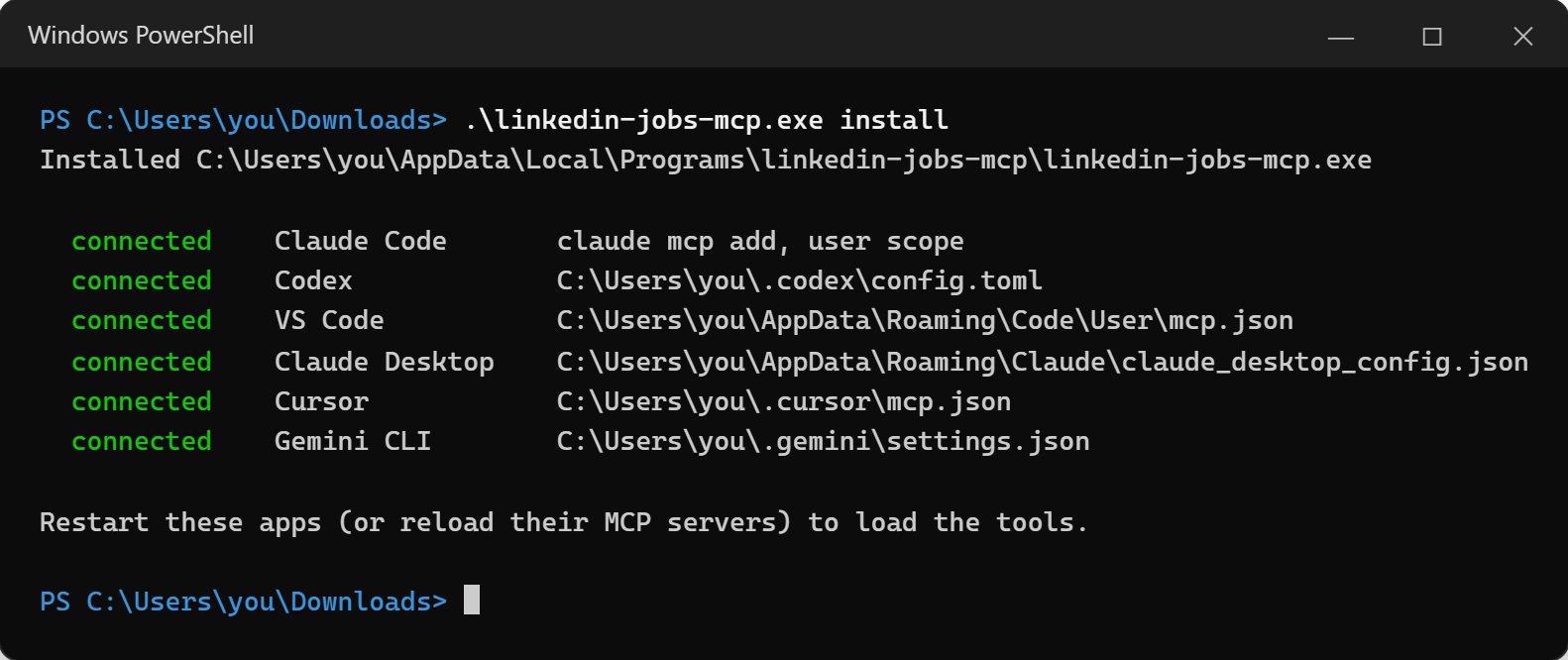
- Choose 1 Install and connect the apps found. The app copies itself to
%LOCALAPPDATA%\Programs\linkedin-jobs-mcp\and adds itself to every supported app it finds. - Restart those apps. The app has no window of its own: they start it in the background when they need the tools.
npm (Windows, macOS, Linux)
Needs Node.js 18 or newer.
npm install -g linkedin-jobs-mcp
linkedin-jobs-mcp connect
Or add it to an app by hand, through npx:
{
  "mcpServers": {
    "linkedin-jobs": { "command": "npx", "args": ["-y", "linkedin-jobs-mcp"] }
  }
}
On Windows, some apps need "command": "cmd", "args": ["/c", "npx", "-y", "linkedin-jobs-mcp"].
From source
git clone https://github.com/GhoshSrinjoy/linkedin-job-mcp.git
cd linkedin-job-mcp
npm install
npm run app -- connect
Connect your apps
| App | Name for connect | Where the setting goes |
|---|---|---|
| Claude Code | claude-code | claude mcp add --scope user |
| Codex | codex | ~/.codex/config.toml |
| VS Code | vscode | %APPDATA%\Code\User\mcp.json |
| VS Code Insiders | vscode-insiders | %APPDATA%\Code - Insiders\User\mcp.json |
| Claude Desktop | claude-desktop | %APPDATA%\Claude\claude_desktop_config.json |
| Cursor | cursor | ~/.cursor/mcp.json |
| Windsurf | windsurf | ~/.codeium/windsurf/mcp_config.json |
| Gemini CLI | gemini-cli | ~/.gemini/settings.json |
| LM Studio | lm-studio | ~/.lmstudio/mcp.json |
| Cline | cline | %APPDATA%\Code\User\globalStorage\saoudrizwan.claude-dev\settings\cline_mcp_settings.json |
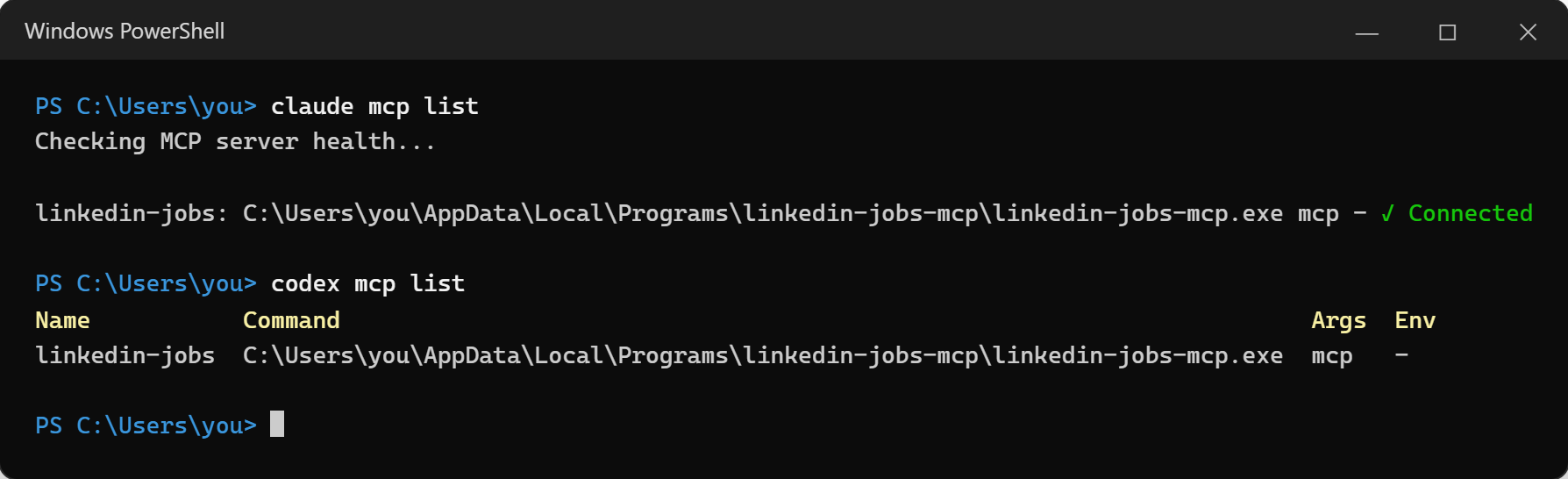
connect only adds or replaces the linkedin-jobs entry: other servers and settings stay, and the first change keeps a
copy of the file next to it (<file>.linkedin-jobs.bak). A settings file with comments is left unchanged, and the
entry to add is printed instead.
Commands
| Command | What it does |
|---|---|
linkedin-jobs-mcp | The setup menu in a console window; the MCP server when an app starts it |
linkedin-jobs-mcp install | Copy the Windows app to %LOCALAPPDATA%\Programs\linkedin-jobs-mcp\ and connect the apps found |
linkedin-jobs-mcp connect [app ...] | Connect the apps found, or only the named ones (also when they are not found) |
linkedin-jobs-mcp disconnect [app ...] | Remove the connection from every app, or only from the named ones |
linkedin-jobs-mcp status | Which apps are found and connected |
linkedin-jobs-mcp config [app ...] | Print the settings to add by hand |
linkedin-jobs-mcp serve [--port 3000] [--host 127.0.0.1] | REST API plus MCP over HTTP |
linkedin-jobs-mcp mcp | MCP over stdio (what the connected apps run) |
linkedin-jobs-mcp job <id or URL> | One job's details as JSON |
linkedin-jobs-mcp search --keyword "data engineer" --location "Berlin, Germany" | Search from the command line |
linkedin-jobs-mcp radar [--port 8000] [--no-browser] | Open Ghost Job Radar |
linkedin-jobs-mcp uninstall | Disconnect every app and remove the installed Windows app |
With the Windows app, run them from its folder, for example .\linkedin-jobs-mcp.exe status.
Add it by hand
Every app needs the same thing: the program, started with the mcp argument. VS Code (mcp.json):
{
  "servers": {
    "linkedin-jobs": {
      "type": "stdio",
      "command": "C:\\Users\\you\\AppData\\Local\\Programs\\linkedin-jobs-mcp\\linkedin-jobs-mcp.exe",
      "args": ["mcp"]
    }
  }
}
Claude Desktop, Cursor, Windsurf, Gemini CLI, LM Studio and Cline take the same entry under "mcpServers", without
"type". Codex (config.toml):
[mcp_servers.linkedin-jobs]
command = "C:\\Users\\you\\AppData\\Local\\Programs\\linkedin-jobs-mcp\\linkedin-jobs-mcp.exe"
args = ["mcp"]
Claude Code:
claude mcp add --scope user linkedin-jobs -- "C:\Users\you\AppData\Local\Programs\linkedin-jobs-mcp\linkedin-jobs-mcp.exe" mcp
Ollama, through mcp-client-for-ollama: save the mcpServers
entry in a file and start ollmcp -j servers.json.
linkedin-jobs-mcp config prints all of these with the real path.
MCP over HTTP
Apps that connect by URL can use the HTTP server instead. Start linkedin-jobs-mcp serve (or npm run api) and add
http://127.0.0.1:3000/mcp:
claude mcp add --transport http linkedin-jobs http://127.0.0.1:3000/mcp
{ "servers": { "linkedin-jobs": { "type": "http", "url": "http://127.0.0.1:3000/mcp" } } }
The server listens on this computer only and refuses requests that name another host, so web pages cannot reach it
through DNS rebinding. HOST=0.0.0.0 makes it reachable from other machines, for example from a container; protect
it yourself then.
Search options
| Option | Values |
|---|---|
keyword | Job title or keywords, e.g. data engineer |
location | City, region or country, e.g. Berlin, Germany |
city, country | Narrow the location |
geoId | LinkedIn location id, skips the location lookup |
dateSincePosted | past 24 hours, past week, past month |
jobType | full time, part time, contract, temporary, volunteer, internship |
remoteFilter | on site, remote, hybrid |
salary | Minimum: 40000, 60000, 80000, 100000, 120000 |
experienceLevel | internship, entry level, associate, senior, director, executive |
limit | Number of jobs (default 10; 25 in the REST API) |
sortBy | recent or relevant |
page | Page number, from 0 |
has_verification | Verified jobs only |
under_10_applicants | Jobs with fewer than 10 applicants |
The REST API accepts every option except salary, experienceLevel, has_verification and under_10_applicants.
Responses
A search returns:
{
  "success": true,
  "total_jobs": 1,
  "jobs": [
    {
      "position": "Data Engineer (m/w/d)",
      "company": "Example GmbH",
      "location": "Berlin, Berlin, Germany",
      "date": "2026-10-20",
      "agoTime": "4 days ago",
      "salary": "Not specified",
      "jobUrl": "https://www.linkedin.com/jobs/view/1234567890/",
      "companyLogo": "https://media.licdn.com/…"
    }
  ],
  "search_params": { "keyword": "data engineer", "location": "Berlin, Germany", "limit": "10" }
}
Job details return:
{
  "id": "1234567890",
  "position": "Data Engineer (m/w/d)",
  "company": "Example GmbH",
  "location": "Berlin, Berlin, Germany",
  "postedAgo": "3 weeks ago",
  "applicants": "Over 200 applicants",
  "salary": null,
  "seniority": "Mid-Senior level",
  "employmentType": "Full-time",
  "jobFunction": null,
  "industries": "Software Development",
  "criteria": { "Seniority level": "Mid-Senior level", "Employment type": "Full-time", "Industries": "Software Development" },
  "acceptingApplications": true,
  "description": "We are looking for a data engineer to join our platform team. …",
  "jobUrl": "https://www.linkedin.com/jobs/view/1234567890/"
}
A job LinkedIn no longer has returns { "id": "…", "removed": true }.
REST API
npm run api or linkedin-jobs-mcp serve starts it on http://127.0.0.1:3000.
| Endpoint | What it does |
|---|---|
POST /search | Search, with the options above as a JSON body; returns { "cached", "total", "jobs" } |
GET /job/:id, GET /job?url=<link> | One job's details; 404 when LinkedIn no longer has it, 400 for an invalid id or link |
POST /mcp | MCP over Streamable HTTP |
GET /health | { "ok": true } |
Library
const { query, getJobDetails } = require("linkedin-jobs-mcp");

const jobs = await query({ keyword: "data engineer", location: "Berlin, Germany", limit: "10" });
const job = await getJobDetails("https://www.linkedin.com/jobs/view/1234567890/");
Configuration
Set these in the environment or in a .env file in the folder you start it from.
| Variable | Default | What it sets |
|---|---|---|
PORT | 3000 | Port of the REST API and MCP over HTTP |
HOST | 127.0.0.1 | Address the server listens on |
LINKEDIN_REQUEST_TIMEOUT_MS | 15000 | Timeout of one request to LinkedIn |
LINKEDIN_CACHE_TTL_MS | 3600000 | How long search results stay cached |
LINKEDIN_DETAIL_MIN_INTERVAL_MS | 1500 | Minimum gap between two job-page requests |
LINKEDIN_DETAIL_CACHE_TTL_MS | 21600000 | How long job details stay cached |
LINKEDIN_USER_AGENT | User agent for job-page requests | |
API_RATE_LIMIT_WINDOW_MS | 60000 | Rate-limit window of the REST API |
API_RATE_LIMIT_MAX | 60 | Requests per window and address |
Build the Windows app
On Windows with Node.js 20 or newer:
npm install
npm run build:win     # dist/linkedin-jobs-mcp.exe and its SHA-256
The build bundles the code with esbuild and injects it into a copy of node.exe (a Node.js single executable
application). Pushing a tag such as v1.2.0 builds the app on GitHub Actions and attaches it to a release.
Tests
npm test                              # job pages, settings files, the MCP server and the HTTP API
cd radar && python -m pytest          # Ghost Job Radar
Both run offline.
Repository layout
| Path | What it is |
|---|---|
index.js | LinkedIn search and job details |
server.js, api.js | MCP server (stdio and HTTP) and REST API |
app.js, clients.js, radar.js | The app: commands, client setup, starting the radar |
radar/ | Ghost Job Radar (Python): dashboard, scoring, research report and notes, browser extension |
scripts/build-win.js | Builds the Windows app |
test/ | Tests of the Node part |
Responsible use
The tools read public job pages slowly and cache what they read, for personal job searching and research. Automated access can conflict with LinkedIn's User Agreement, so keep the volume low and use it at your own risk.
License
PolyForm Noncommercial 1.0.0: free for personal, research and other non-commercial use. For commercial use, ask for permission.
Srinjoy Ghosh (@GhoshSrinjoy, ghoshsrinjoy97@gmail.com)