
skill
offgrid-review
Build single-file offline workbenches for structured review and decisions.
Set up
Skills are installed by placing their folder where your agent loads skills.
The download comes from github.com/jd-santos/offgrid-review itself, not from our server, so what you get is exactly what its author published.
Install instructions come from the README
README
synced Oct 23, 2026Offgrid Review
Offgrid Review gives complex human decisions a clearer interface than a long chat thread. An agent prepares the evidence, options, or plan; you review them in a portable console; a separate verified pass applies only the decisions you return.
Each console is one self-contained HTML file. It works offline and can move through chat, email, shared storage, or removable media. What comes back is one JSON file: your selections and notes, plus the fingerprints the apply pass uses to check that nothing changed since review.
Examples · Quick start · What it handles · Direct CLI use · Reference
Examples
Complete planning documents
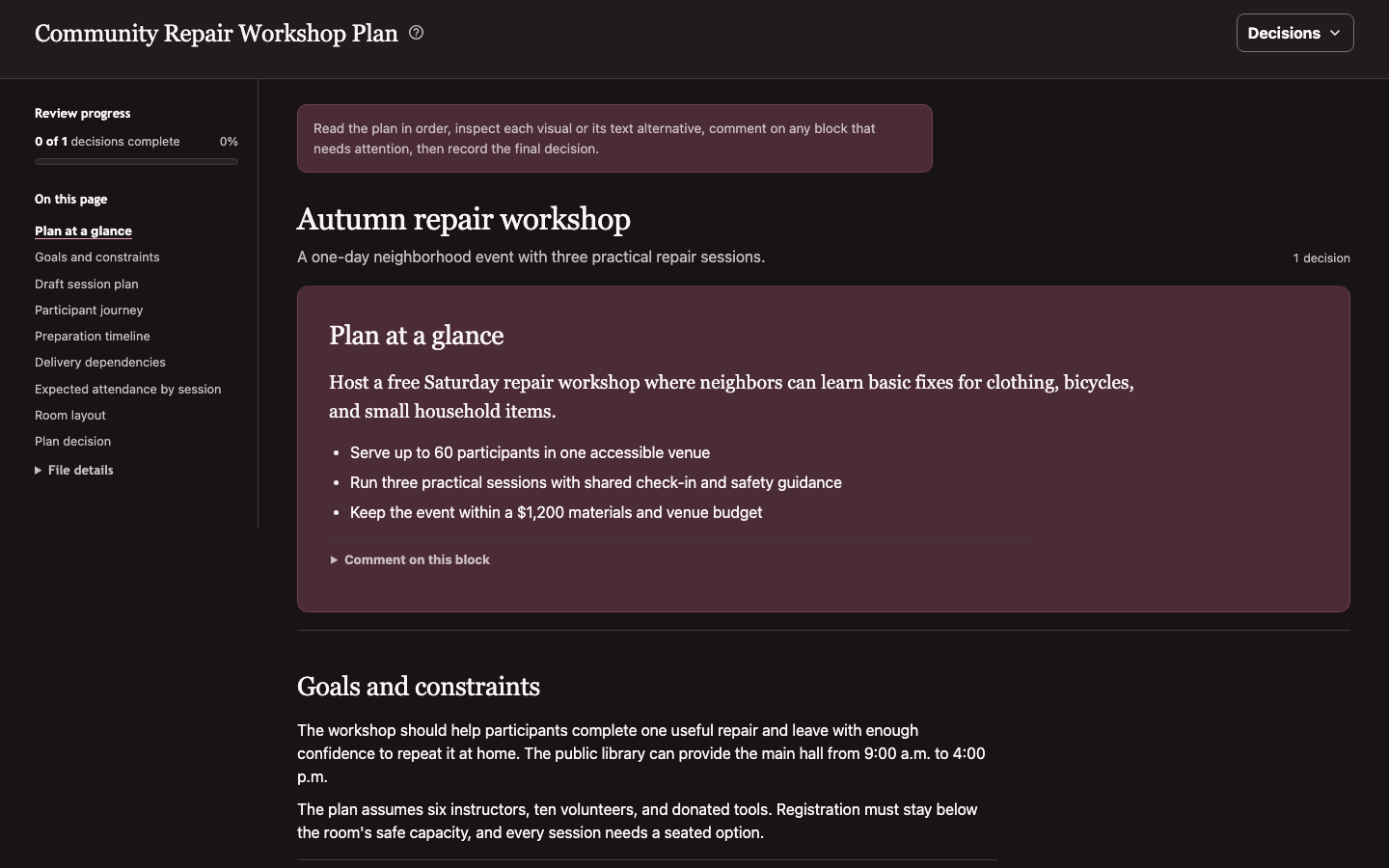
Review prose, tables, diagrams, timelines, charts, and final direction decisions as one readable document.
Decision batches
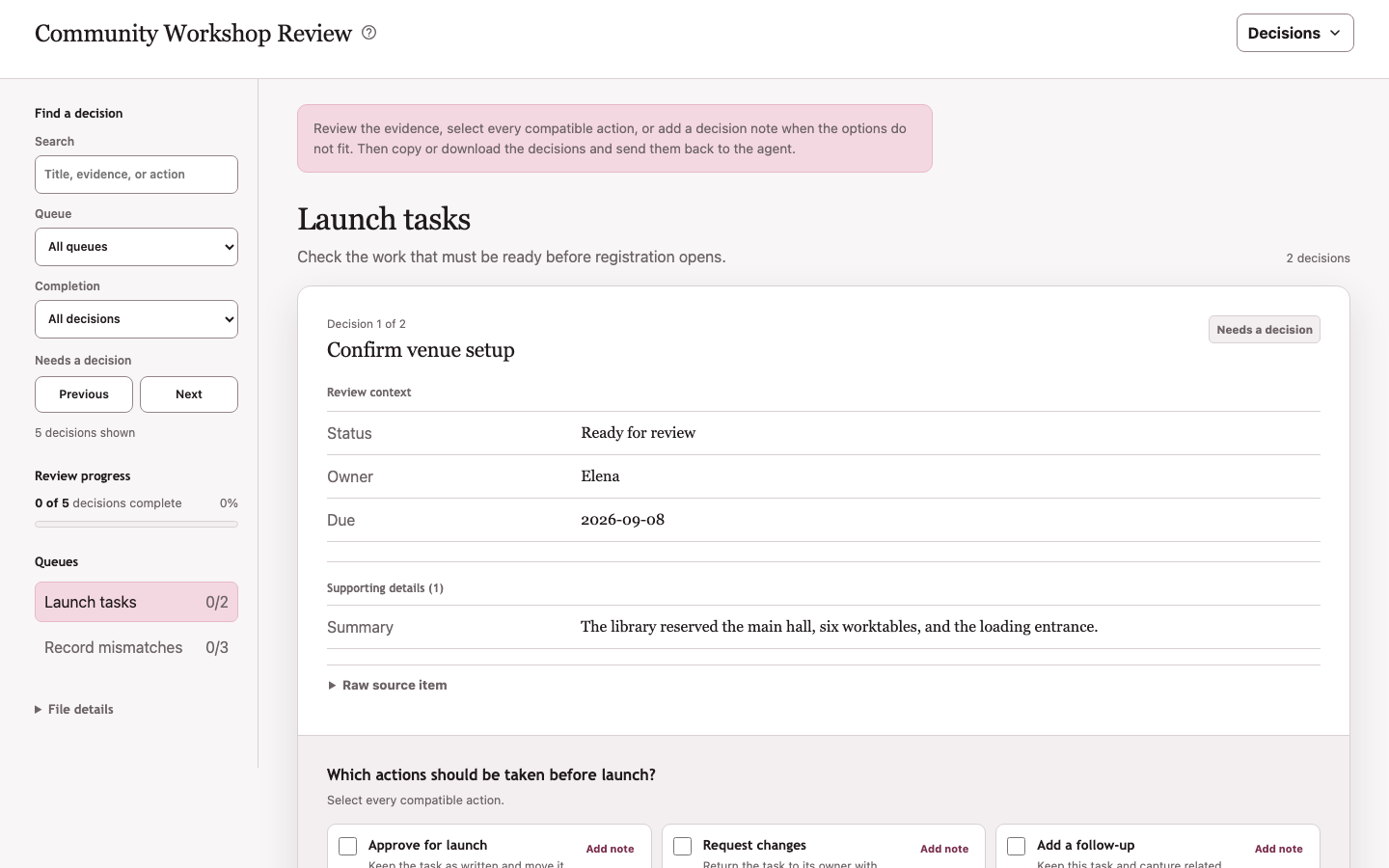
Group related questions into queues without losing item-level evidence, risk, rationale, or completion state.
Structured planning visuals
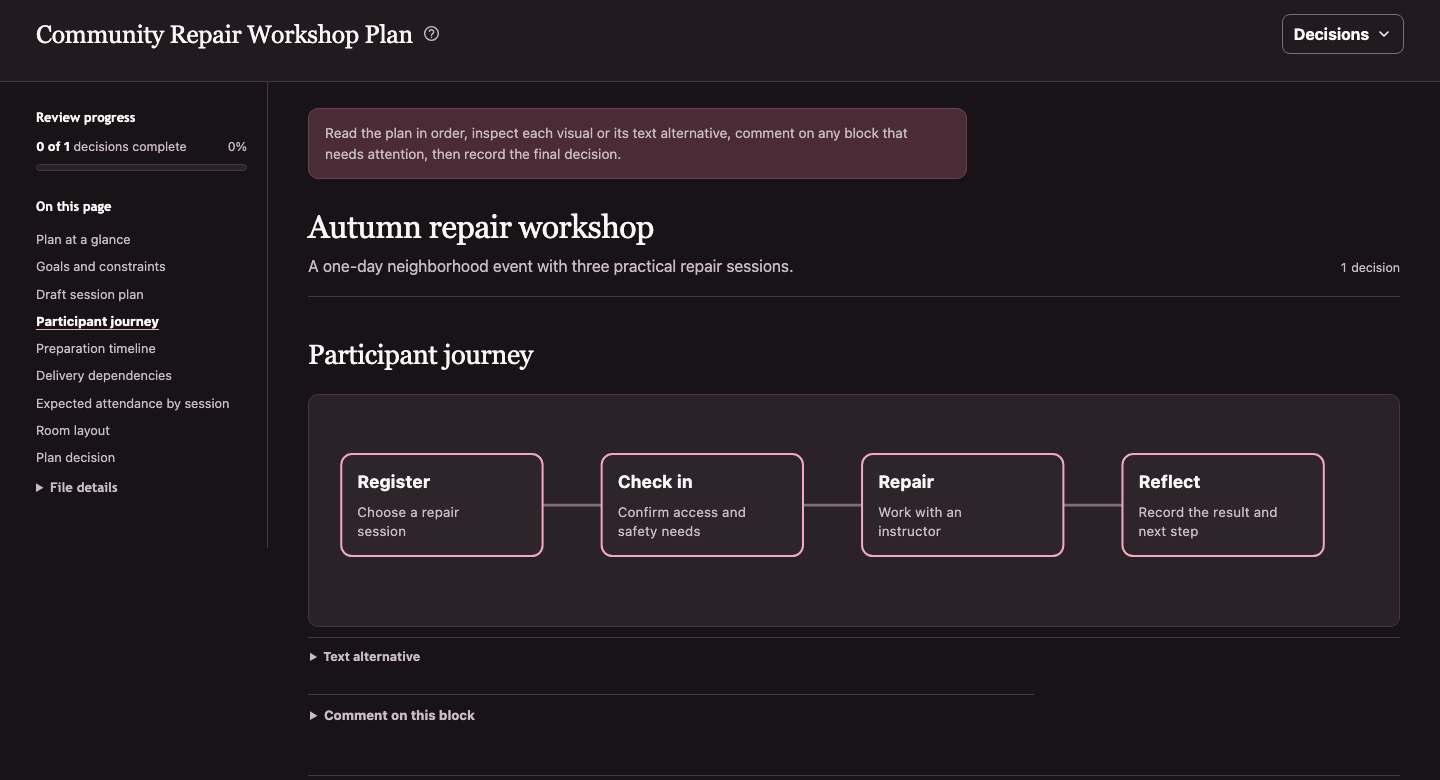
Semantic visual blocks keep their source structure and a visible text alternative.
Two-record comparisons
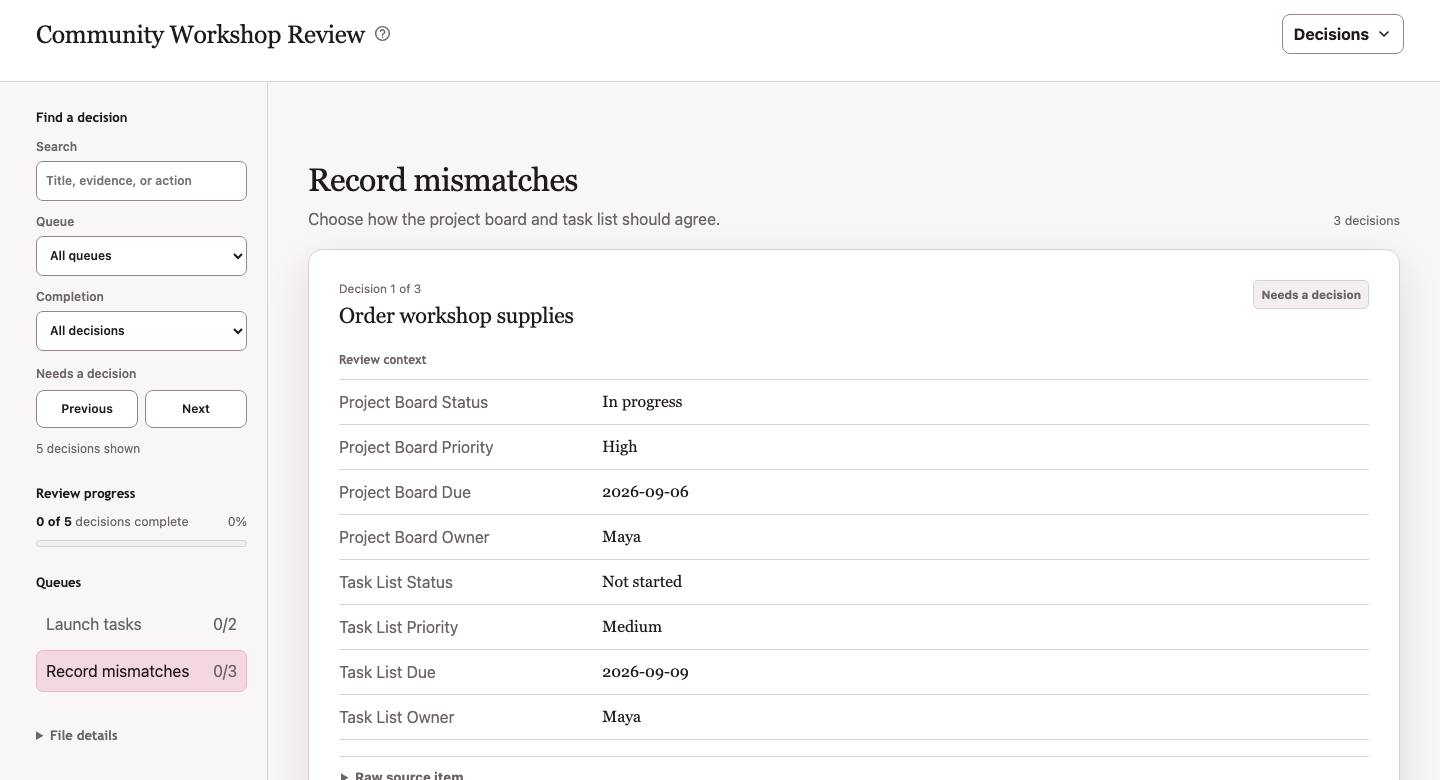
Compare records side by side and return an explicit source-of-truth decision.
Quick start
Install Git and uv on the machine where your agent runs.
1. Install the agent skill from GitHub
For agent systems that load skills from ~/.agents/skills:
git clone --depth 1 https://github.com/jd-santos/offgrid-review.git
mkdir -p ~/.agents/skills
cp -R offgrid-review/skills/offgrid-review ~/.agents/skills/
Reload your agent's skills if the host requires it. Other agent systems can use
skills/offgrid-review/SKILL.md
directly.
2. Ask your agent to prepare a console
For example:
Use Offgrid Review to prepare these proposed changes for review. Gather the current facts read-only, include the relevant evidence and available options, and leave application for a separate verified pass.
The agent gathers the source data, writes the review specification, and runs the generator. It returns a portable HTML file rather than walking through every question in chat.
3. Review and return the decisions
Open the HTML file, compare the evidence, choose every compatible action, and add notes where needed. If the available actions miss your answer, add a decision note instead. Either an action or a substantive decision note marks the decision complete. Open Decisions, then copy or download the JSON to return the result to your agent.
The apply pass should re-fetch current state, reject stale inputs, and perform only the actions recorded in that decision file.
The skill currently runs the CLI from this public Git repository. After the
first PyPI release, it will use the unversioned uvx offgrid-review command,
which does not require documentation updates for each package release.
How it works
agent gathers evidence and frames the questions
                      ↓
          portable HTML review console
                      ↓
         human decisions and annotations
                      ↓
       agent verifies state and applies changes
The generator is deterministic. The agent decides what evidence and questions to include; the browser console captures the human response; a separate apply pass handles mutation.
What it handles
Decision batches
Reconciliation, triage, classification, prioritization, and other work with many related decisions can be grouped into one review. Queues divide a large review into meaningful categories that share context, a question, and an action set. Each decision can show evidence, comparisons, recommendations, risk, reversibility, compatible actions, and required rationale.
Proposals and plans
Complete documents can combine prose, decisions, tables, flows, timelines, dependency graphs, charts, and constrained SVG. Reviewers can comment on individual sections and return a direction decision without reducing the plan to a sequence of chat messages.
Explicit handoffs
Every artifact and export carries a schema version, generator version, review ID, and deterministic data and specification fingerprints. Browser state is loaded only when it belongs to the current artifact.
The generated page captures decisions but cannot mutate the system being reviewed. Anyone who receives the HTML or exported JSON can inspect its embedded source snapshots, including fields hidden behind disclosures. Do not include secrets or unrelated private data.
Visuals with a text path
Every diagram and chart has a visible text alternative. Charts also retain their source-value tables. Custom SVG passes a strict allowlist before it can reach the generated page.
Desktop and mobile review
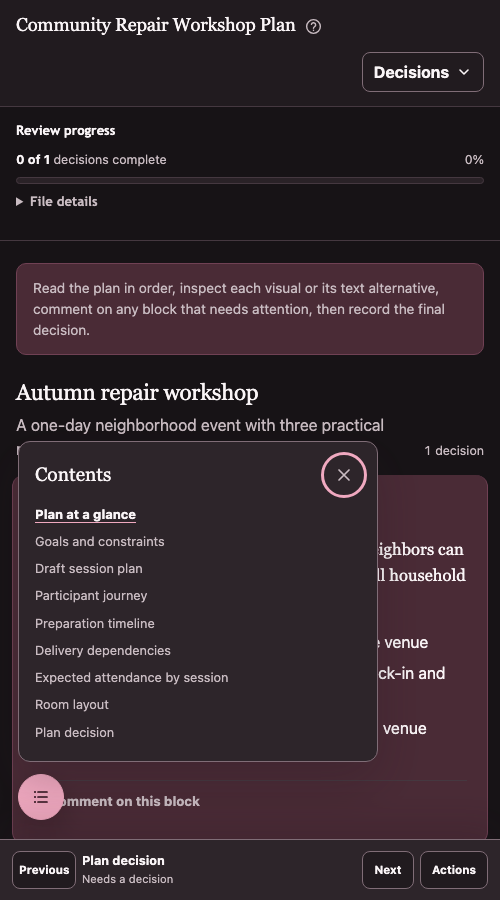
The console adapts document contents, decision controls, and navigation to narrow screens. The mobile action tray keeps the current decision available without hiding the document behind a modal.
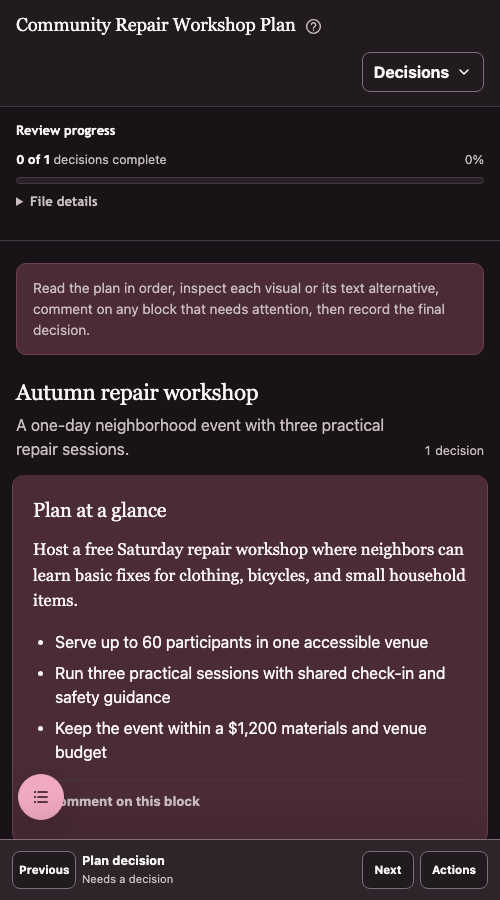
The floating contents control opens a nonmodal section list when the full rail no longer fits.
Direct CLI use
The CLI is the deterministic compiler underneath the agent workflow. To try it with the checked-in example:
# Skip the clone if you already installed the skill from this checkout.
git clone --depth 1 https://github.com/jd-santos/offgrid-review.git
cd offgrid-review

uvx --from . offgrid-review \
  --data skills/offgrid-review/examples/review-data.json \
  --spec skills/offgrid-review/examples/review-spec.json \
  --out review.html
Open review.html in a browser. The command expects three explicit paths:
--data: the source snapshot and evidence as JSON (optional when the spec is self-contained, as with planning-document reviews)--spec: the questions, actions, presentation, and review framing as JSON--out: the HTML console to create
The checked-in planning example is self-contained, so it skips --data:
uvx --from . offgrid-review \
  --spec skills/offgrid-review/examples/review-plan-spec.json \
  --out review-plan.html
Once you have your own data and specification, run the current release candidate directly from GitHub:
uvx --from git+https://github.com/jd-santos/offgrid-review.git offgrid-review \
  --data path/to/review-data.json \
  --spec path/to/review-spec.json \
  --out review.html
The CLI can write a generic starter specification, but you still need to provide data with matching source keys:
uvx --from git+https://github.com/jd-santos/offgrid-review.git offgrid-review \
  --write-default-spec \
  --spec review-spec.json
After the first PyPI release, the normal command becomes:
uvx offgrid-review \
  --data path/to/review-data.json \
  --spec path/to/review-spec.json \
  --out review.html
Before applying an exported decision file, validate it:
uvx offgrid-review --check path/to/decisions.json
The check verifies the schema version, fingerprint consistency, and validity markers, and exits 2 with one line per failure.
Offgrid Review requires Python 3.10 or later and has no third-party runtime dependencies. The usage guide explains UVX caching, refresh and version-pin behavior, tested platforms, and current compatibility limits.
Agent skill
The reusable skill is the discovery and workflow layer. It tells an agent when a dedicated console is a better fit than chat, how to gather source data without mutating it, how to frame the questions, and how to preserve the review/apply boundary. It invokes the same CLI available to direct users and does not carry a second renderer implementation.
See the usage guide for custom data and specifications, and the artifact contract for the complete input and decision formats.
Reference
- Usage guide: commands, review specifications, interaction behavior, and file-viewer constraints
- Artifact contract: source data, review specs, generated artifacts, annotations, and decision JSON
- Apply-pass guide: verification, mutation boundaries, error handling, and reporting
- Design: interface tokens, component rules, responsive behavior, and accessibility expectations
- Accessibility checks: WCAG target, automated coverage, and manual release checks
- Release guide: package checks and Trusted Publishing setup
- Changelog: notable project changes
Development
Create the locked development environment and run the Python regression suite:
uv sync --locked
uv run python -m unittest discover -s tests -p 'test_*.py'
Run the focused browser regressions separately:
uv sync --locked --group test
uv run --group test playwright install chromium
uv run --group test python -m unittest discover -s tests/browser -p 'test_*.py'
uv run python scripts/check_runtime_syntax.py
Build the wheel and source distribution:
uv build
See the release guide for versioning, local wheel checks, and PyPI Trusted Publishing setup.
Regenerate the README screenshots with a local Chrome or Chromium installation:
uv run python scripts/capture_screenshots.py
Pass --chrome /path/to/chrome when the executable is not in a standard
location.
License
The Python generator and package aggregate are licensed under GPL-3.0-or-later. The generated HTML runtime, styles, and reusable output templates are licensed under Apache-2.0. Each portable HTML file carries the Apache license and notice required for redistribution.