
mcp server
openbill
Self-hosted quotes and invoices with custom fields, Liquid templates and EN 16931 e-invoices. REST API and MCP for agents.
Set up
Runs on your computer. Pick your agent and operating system.
This project does not publish an install method we can turn into a config. Follow the README instead.
README
synced Oct 21, 2026openbill


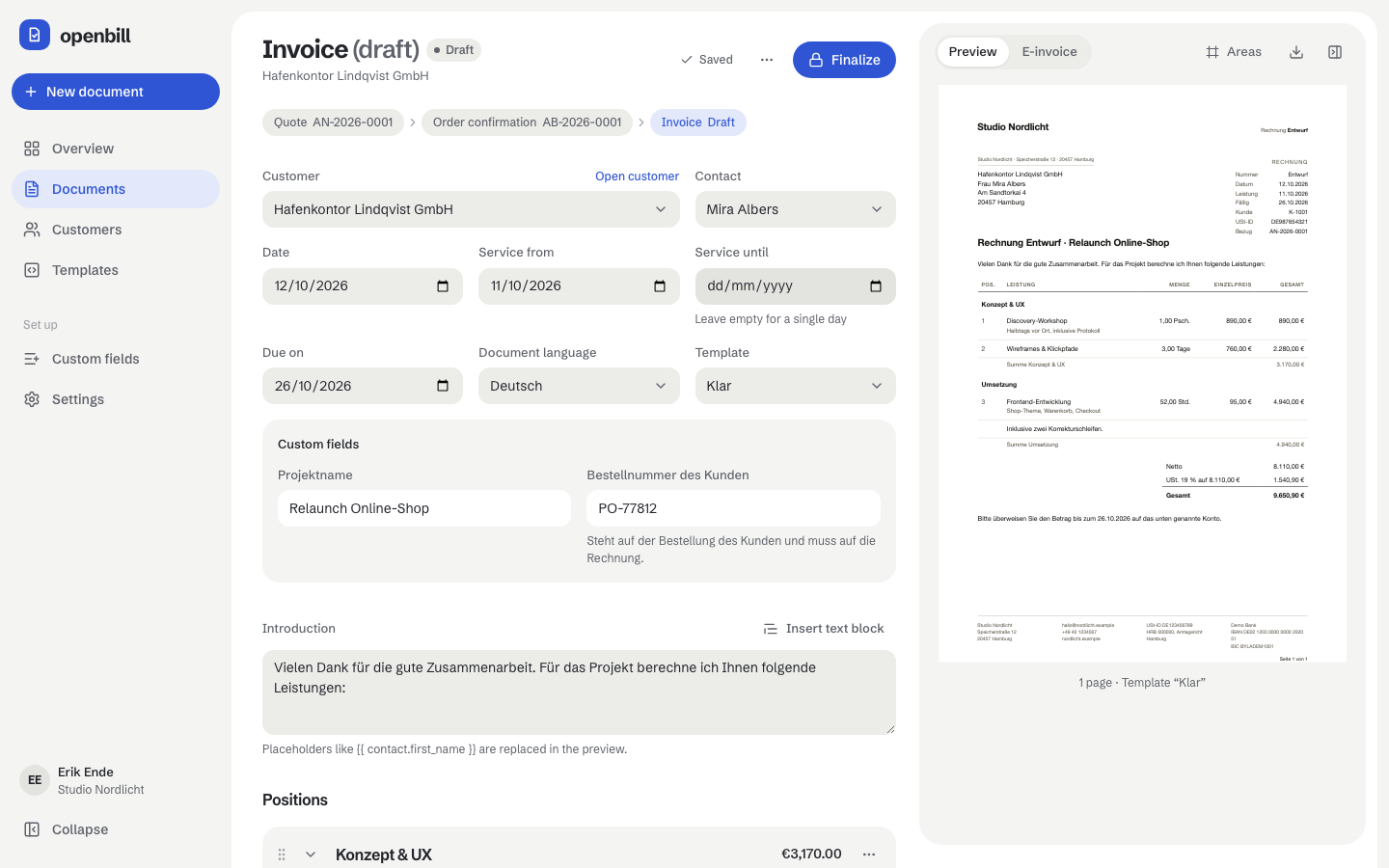
Open, self-hosted quotes, order confirmations, invoices and cancellations. Your own fields on every level, line items in groups, PDF templates in Liquid and EN 16931 e-invoices (ZUGFeRD/Factur-X) – in the browser, over a REST API and for AI agents over MCP.
Docs: openbill.dev (English and German)
Features
- Quotes, order confirmations, invoices and cancellations, converted along the chain with one click; numbers are assigned when you finalize
- Custom fields on the organization, customers, contacts, documents and line items
- Line items in groups with subtotals, optional items in quotes, suggestions from earlier documents
- Templates in HTML, CSS and Liquid, rendered to PDF by Gotenberg: three built in, a toolkit with live preview for your own
- E-invoices after EN 16931 as PDF/A-3 with embedded XML; VAT for regular taxation, small businesses (§ 19 UStG), EU reverse charge and third countries
- REST API (OpenAPI) and an MCP server with scoped tokens
- English and German, light and dark
Quickstart
You need Docker with Compose v2.
Paste and deploy: docker-compose.standalone.yml is one self-contained stack without .env. Paste it into Dockge or Portainer (or save it as compose.yaml), change the four values at the top (APP_URL, ADMIN_EMAIL, ADMIN_PASSWORD, DB_PASSWORD) and deploy – see Quick start.
With a separate .env:
mkdir openbill && cd openbill
curl -fsSLO https://raw.githubusercontent.com/baeroe/openbill/main/docker-compose.yml
curl -fsSL -o .env https://raw.githubusercontent.com/baeroe/openbill/main/.env.docker.example
# edit .env: APP_URL, ADMIN_EMAIL and the passwords ADMIN_PASSWORD, DB_PASSWORD, DB_ROOT_PASSWORD
# (empty in the template: docker compose refuses to start until the database ones are set)
docker compose up -d                              # start
docker compose pull && docker compose up -d       # update
openbill listens on port 7739 of the host. Put a reverse proxy with HTTPS in front, set APP_URL to its address and log in with ADMIN_EMAIL / ADMIN_PASSWORD (then remove ADMIN_PASSWORD from .env; passwords are changed in the app).
- Setup and Reverse proxy
- Backup and Upgrading
- Templates, E-invoices, REST API, MCP
Images: baeroe/openbill on Docker Hub for linux/amd64 and linux/arm64, tagged X.Y.Z, X.Y and latest.
Development
Local development runs in DDEV (PHP 8.4, MariaDB 11.4, Node 24 with pnpm, Gotenberg); the guide is Development. The docs live in docs/ (VitePress): ddev exec pnpm --dir docs dev.
The clickable prototypes in prototypes/ (clickdummy and clickdummy-v2 with its DESIGN.md) are the design reference the app was built from; they are not part of the app.
Release
A tag vX.Y.Z builds the image for amd64 and arm64, pushes it to Docker Hub and creates a GitHub release with the notes from docs/en/upgrading.md.
Disclaimer
openbill is no tax or legal advice and does not guarantee that your invoices, your archive or your processes meet the rules that apply to you (e.g. GoBD, VAT law). Check your setup with your tax advisor. It comes without warranty, see the license.