
skill
pymesec-compliance-auditing-system
An open source compliance auditing platform built as a minimal, domain-agnostic core with pluggable modules for identity, frameworks, risk, evidence, reporting, and other compliance capabilities.
Set up
Skills are installed by placing their folder where your agent loads skills.
The download comes from github.com/palaueb/pymesec-compliance-auditing-system itself, not from our server, so what you get is exactly what its author published.
Install instructions come from the README
README
synced Oct 22, 2026PymeSec
Compliance auditing system for small and medium-sized enterprises (SMEs). Automates security controls, GDPR, ISO 27001, and local compliance.







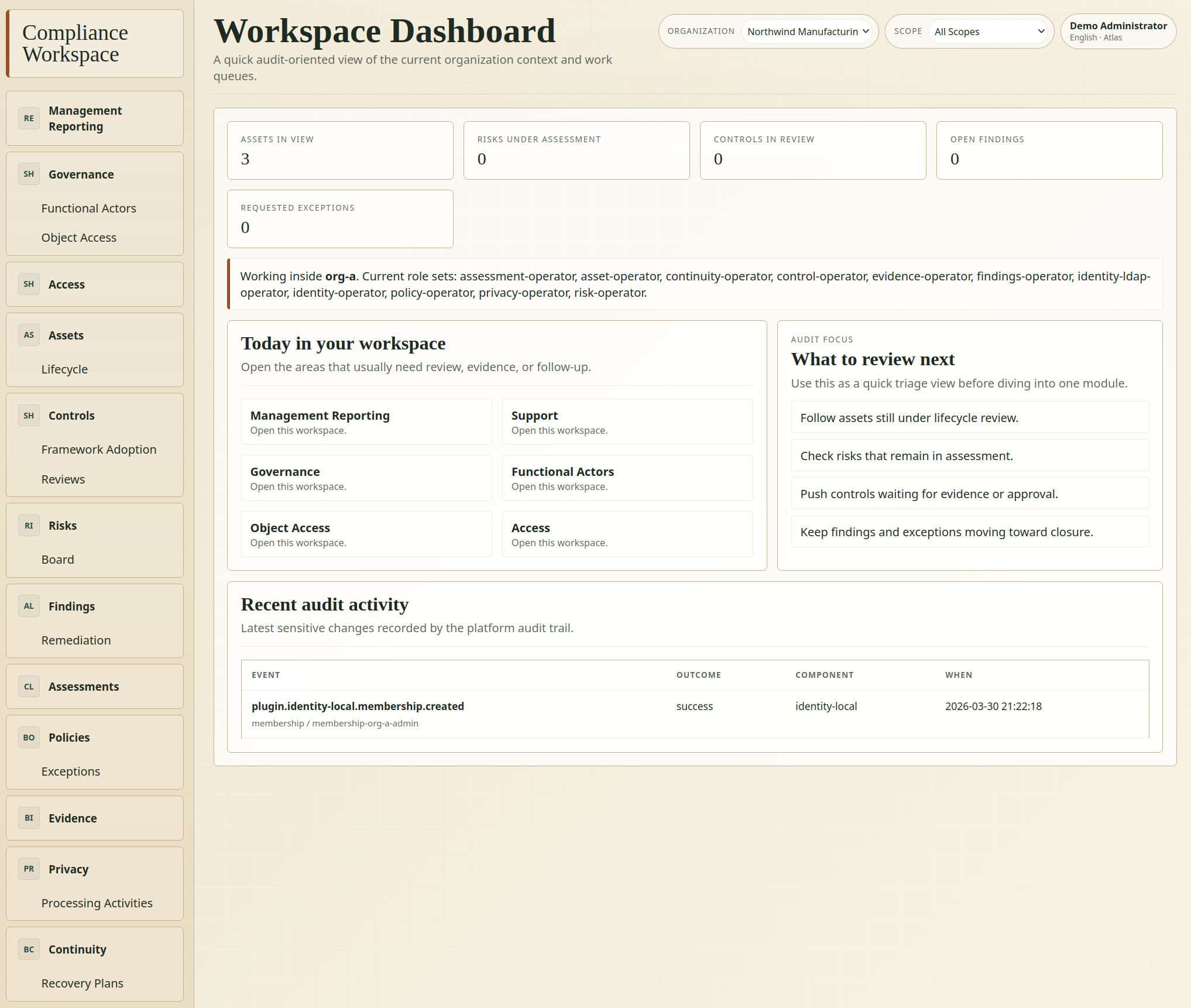
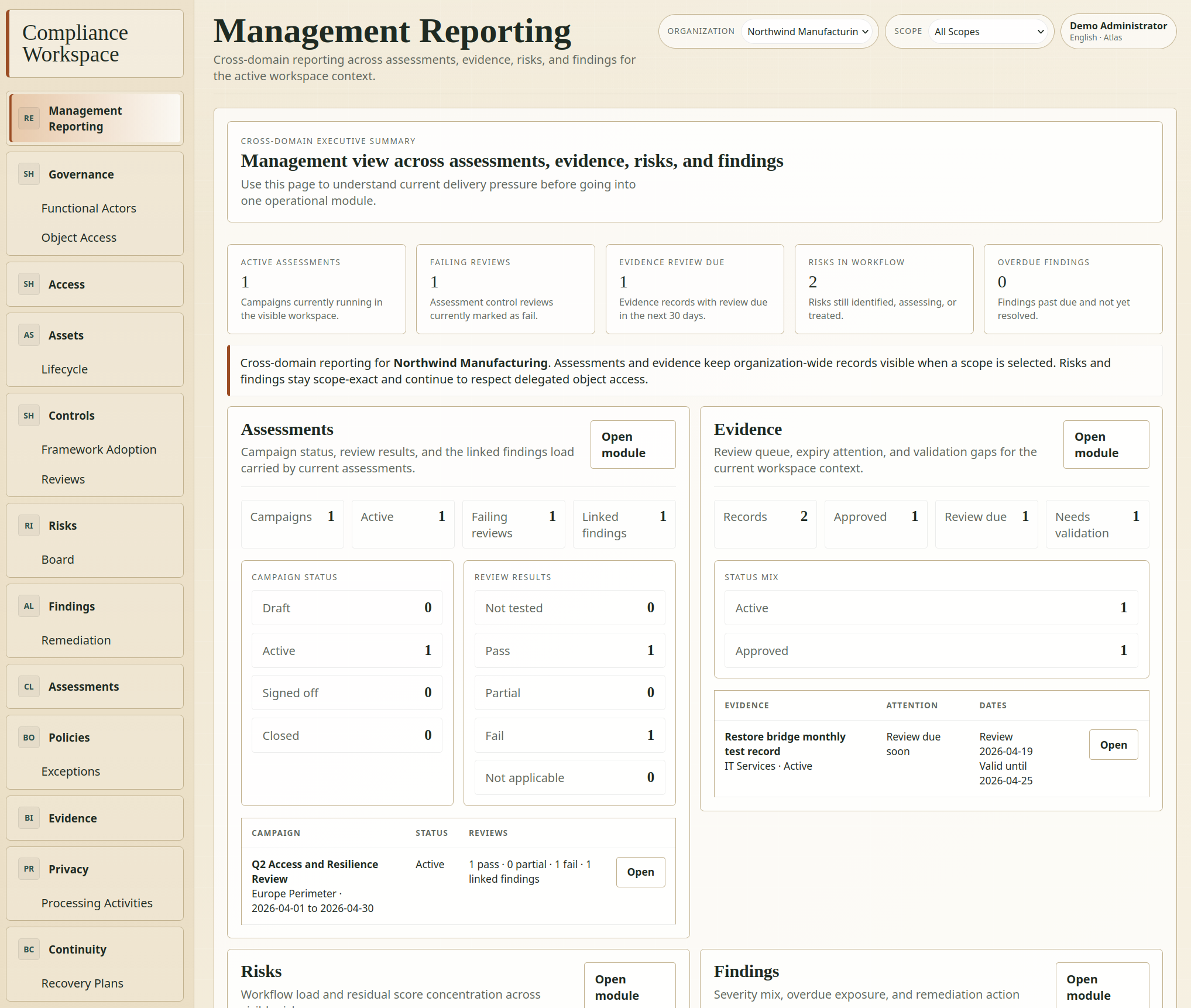
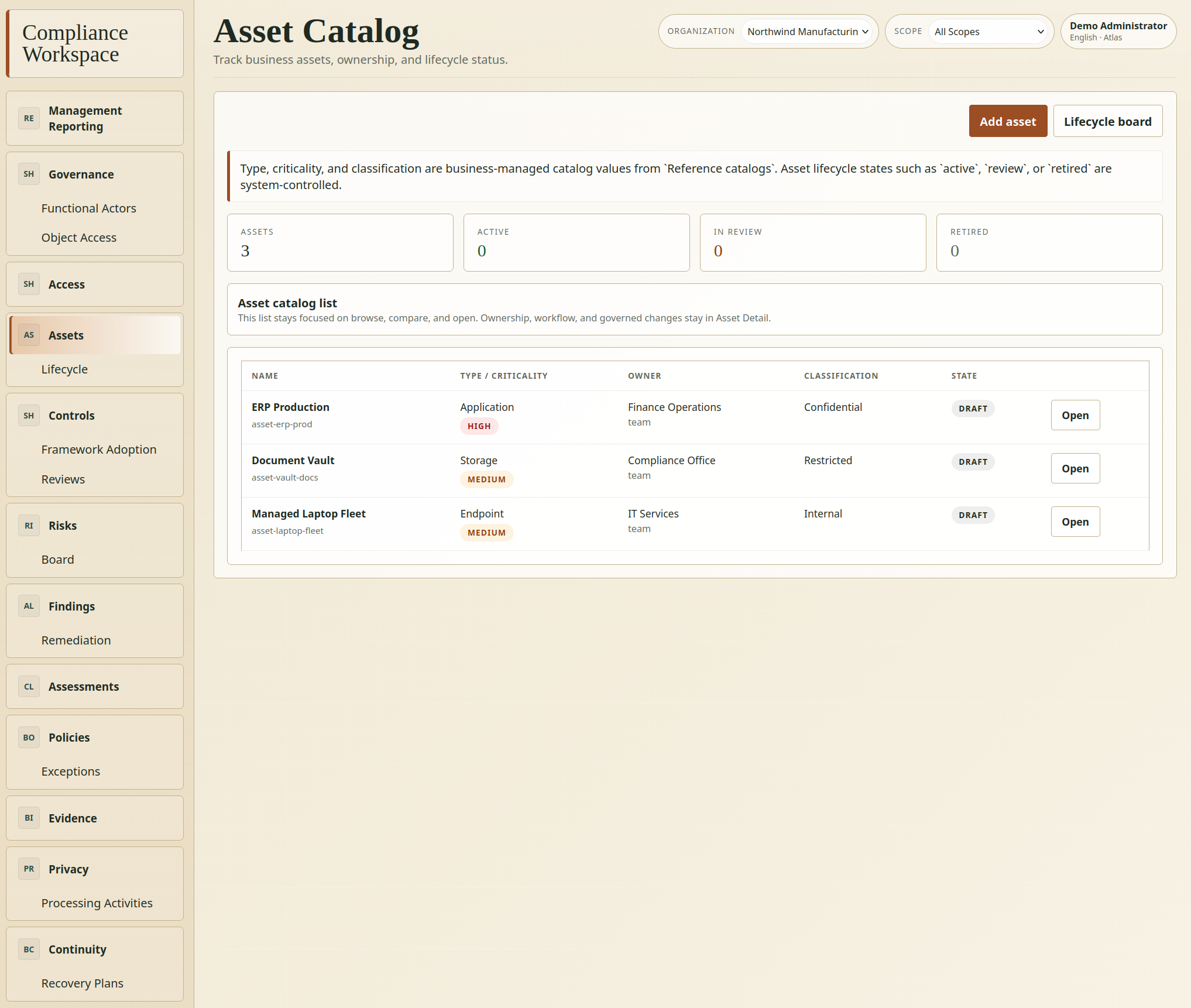
Screenshots
Documentation Index
Primary documentation hubs:
Operational READMEs:
Prerequisites
- Docker
- Docker Compose
- GNU Make
Quick Start
- Copy the root environment configuration:
cp .env.example .env
- Copy the core configuration:
cp core/.env.example core/.env
- Start the environment:
make up
- Run the core migrations:
make migrate
- Choose the data profile you want:
make seed-system
For a developer sandbox with demo data:
make seed-demo
- Verify that Laravel responds:
curl http://localhost:8080/up
curl -I http://localhost:8080/
Fresh install behavior:
systemis the default install profile- the app starts with no demo tenants or users
- the first visit to
/appopens the setup wizard and can create the first organization plus superadmin /is the product entrypoint: if no session exists it redirects to login, and after sign-in it lands in the application workspace/adminis a separate administration shell for platform settings and core operations
Server Install Without Docker
If you want to install PymeSec in a regular server checkout instead of the local Docker stack, work inside core/ after cloning the repository.
- Copy the core environment file:
cp .env.example .env
- Update
.envfor the target server:
You can configure the .env file within the wizard at https://www.pimesec.com/env.html?lang=en
- set
APP_ENV=production - set
APP_DEBUG=false - set
APP_URLto the public URL - set the real database credentials
- if MySQL runs on the same host, prefer
DB_HOST=127.0.0.1instead oflocalhostwhen you need TCP rather than a Unix socket (may be needed within jailed terminals withou access to mysql.socket)
- Install PHP dependencies:
composer install --no-dev --optimize-autoloader --no-interaction
- Generate the application key:
php artisan key:generate --force
- Run migrations:
php artisan migrate --force
- Seed the install-safe bootstrap profile:
php artisan db:seed --class=Database\\Seeders\\SystemBootstrapSeeder --force
- Verify the application:
php artisan about
curl https://your-host.example/up
- Open
/appin the browser and complete the setup wizard to create the first organization and the first administrator.
Notes:
- route metadata is cacheable on current
main, but if you are deploying an older checkout andphp artisan optimizegenerates a brokenbootstrap/cache/routes-v7.php, update to the latestmain, removebootstrap/cache/routes-*.php, and rebuild the cache - make sure
storage/andbootstrap/cache/are writable by the web server user public/storageis optional on first install and can be linked later withphp artisan storage:linkif your deployment needs public file exposure
Common Commands
make up
make down
make shell
make migrate
make seed-system
make seed-demo
make reset-demo
make test
make lint
make compile
MCP_SMOKE_TOKEN="pmsk_..." make mcp-smoke
make smoke-app
make logs
docker compose exec app php artisan plugins:list
docker compose exec app php artisan menus:list
docker compose exec app php artisan workflows:list
docker compose exec app php artisan plugins:enable identity-local
docker compose exec app php artisan plugins:enable identity-ldap
docker compose exec app php artisan plugins:disable hello-world
MCP Installation
If you already have a PymeSec server running and want to use it from Codex CLI or Claude CLI on your local machine, use the interactive MCP installer:
curl -fsSL https://raw.githubusercontent.com/palaueb/pymesec-compliance-auditing-system/main/scripts/install-pymesec-mcp.sh | bash
The installer:
- detects the local platform and downloads the matching MCP binary release
- downloads
SHA256SUMSand verifies the archive checksum before installation - asks where to install the local PymeSec MCP files
- validates the PymeSec host plus API key
- runs a real MCP smoke check against your server
- can register the MCP server automatically in Codex CLI or Claude CLI
Supported environments for the installer:
- Linux
- macOS
- Windows through WSL or Git Bash
Email login on test
If you are on development you can check for code and email magic link at command:
# /core$ docker compose exec app tail -f storage/logs/laravel.log
LDAP Demo
The repository includes a disposable LDAP directory for testing identity-ldap.
Start it with the normal stack:
make up
Available endpoints:
- LDAP server:
localhost:3389 - phpLDAPadmin:
http://localhost:8081 - admin bind DN:
cn=admin,dc=northwind,dc=test - admin password:
admin
Seeded demo entries:
uid=lars.heidt,ou=People,dc=northwind,dc=testuid=marta.soler,ou=People,dc=northwind,dc=test- groups
cn=it-services,...andcn=eu-operations,...
Connector values:
- if the app runs inside Docker, use host
ldapand port389 - if the app runs outside Docker, use host
127.0.0.1and port3389 - base DN:
ou=People,dc=northwind,dc=test - bind DN:
cn=admin,dc=northwind,dc=test - login attribute:
uid - mail attribute:
mail - group attribute:
memberOf
Environment Notes
- The
coreuses MySQL locally. APP_INSTALL_PROFILE=systemis the safe default for new installations.DemoCompanySeederis opt-in and intended for local exploration.- automated tests seed
TestDatabaseSeederexplicitly and do not depend on the runtime default profile. - The application discovers plugins from
plugins/and computes the effective enabled set fromPLUGINS_ENABLEDplus local overrides stored instorage/app/private/plugin-state.json. Administration > Pluginscan now apply audited enable or disable overrides from the shell, while plugin-specific settings stay owned by each plugin workspace screen.- Shell menus are core-governed; plugins may contribute top-level items and one child level through the manifest, subject to route, permission, and dependency validation.
- Local cache defaults to
fileand the queue defaults tosync, so Redis is not required in development. - The base tests run on in-memory SQLite to keep them fast and isolated.
- The repository now includes local identity bootstrap plus optional LDAP sync as plugins, while the core remains provider-agnostic.
- The Docker PHP image now ships
docker/php/zz-pymesec.iniwithmemory_limit=512Mplus conservative request-size limits so large route bootstraps and admin screens do not fail under the previous128Mdefault.
Documented Temporary Assumptions
- Laravel is installed directly inside
core/as the main application for the platform core. - The plugin manifest temporarily remains in
plugin.jsonuntil that decision is finalized. - Local development is handled with
apache + php + mysql. - The minimal CI validates installation, migrations, linting, and tests, but not yet plugin compatibility matrices.
License
This repository is licensed under GNU Affero General Public License v3.0 or later.
- The monorepo root is covered by LICENSE.
- The
coredeclaresAGPL-3.0-or-laterin core/composer.json. - The official plugins currently shipped in
plugins/also declareAGPL-3.0-or-laterin their manifests.
The practical policy in this repository is simple:
- bundled official plugins are licensed under the same AGPL terms as the core
- external plugins may declare their own license, but compatibility and redistribution obligations depend on how tightly they are combined with the core runtime
This repository does not define any plugin linking exception.
The current state includes:
core/as the Laravel application for the platform coreplugins/for independently developable official plugin packages- local development with Docker
- minimal local services:
apache,php,mysql - optional LDAP demo stack with seeded users and groups
- working scripts via
Makefile - minimal CI to validate installation, linting, and tests
- usable shell screens for core administration and current domain plugins