
mcp server
talavine-code
Your AI said no. Get around it anyway. MIT-licensed coding harness with local Ollama models, BYOK/BYOCLI, automatic model selection, refusal handoff, model comparisons, memory, and a home for the apps
Set up
Runs on your computer. Pick your agent and operating system.
This project does not publish an install method we can turn into a config. Follow the README instead.
README
synced Oct 21, 2026Talavine Code
Your AI said no. Get around it anyway.
You brought a job. Your model brought excuses.
You're a responsible adult. You decide what to build. Talavine Code lets you route around a model's refusal and put another model on the job, including local models you run yourself.
Bring your API keys or coding CLIs, make models challenge each other's answers, and build an app you can actually open, use and improve.
Download the Windows installer · See what it does · Build from source · Report an issue
Your coding tools should answer to you. If that's your kind of harness, give Talavine Code a star so you can find it again.
The usual coding tools. With fewer excuses.
Read and edit files, run commands and tests, and work in your repositories. Bring Claude Code along. Then put the rest of this workspace to work:
- Local models, automatic model selection, and your own API keys or coding CLIs.
- Route around refusals, including with local abliterated models.
- Make models fight for your trust: comparison, review, and judging.
- Rescue your app from the chat window: build, run, and refine it.
- Stop being your AI's diary: personal and repository memory, plus model-outcome history.
- Chrome and desktop control, with encrypted credentials.
- Developer self-improvement (Debug/source builds) and harness learning.
- Favorite models, conversation forks and planning, and MCP tools and repository instructions.
- Paired SwarmSpan hosts, agents, and scheduled work.
- Chat search and work summaries, usage and acceptance checks, and MIT-licensed source.
Stop treating one model like the entire engineering department
- Put your own hardware to work. Connect Ollama and select installed, tool-capable local models alongside cloud providers. On-device inference uses your own hardware; cloud models and connected tools can still send data off the device. Hardware and model capabilities determine what runs well.
- Retire the model-selection guessing game. Configure model choices and describe when each
fits. Enable the selector to choose for the first prompt and reconsider after
failure. Pick a model yourself when you prefer, or use
/autofor a fresh automatic choice. Pin favorite provider/model combinations for easy reuse. - Bring the AI you're already paying for. BYOK or BYOCLI. Bring your own API keys or supported installed, signed-in coding CLIs such as Claude Code and Codex. Mix supported services in one workspace; their subscriptions, API charges, and terms remain separate.
- You asked it to work. Let it work. In the default
automode, a user-requested coding turn can edit files and run commands without a stream of Allow dialogs. Chooseask-riskyoraskwhen you want more approval steps. Explicit deny rules still apply; see security for native CLI boundaries. If a model refuses, Code can route the remaining work to another configured model willing to take it on. Model handoff does not override explicit deny rules. - Your model doesn't get a veto. You own your decisions. A chatbot's refusal doesn't get to make them for you. Configure a mix of providers, including models with more permissive policies. If one declines or can't finish, the harness can hand the remaining work to another model in the same conversation. With local refusal fallback enabled, eligible installed abliterated or uncensored models can be preferred. These models are modified or trained to refuse less often; they must be reachable and support tools. You choose the services and fallback preferences.
- Make your models fight for your trust. One confident answer is a lousy review
process.
/comparesends the same prompt to multiple configured API model lanes, including available local models./reviewis an alias. With--judge, the models review one another's proposals and can concede to a stronger answer; a separate judge settles a remaining disagreement. See the alternatives and reasoning before committing to an approach. A model's ranking isn't a substitute for running tests. - Your app shouldn't die in a chat window. The desktop's My apps library lets you create an app, add an existing project, return to its coding chat, and run or preview it using its configured launch command. Your projects stay in folders you choose.
- Get from an idea to an app in the UI. Choose Create an app, name it, describe what you need, and choose a provider. Code creates a project folder, opens its build chat, and starts work. Run or preview supported apps using their launch setup, then return to the chat for the next change. Generated apps use the development tools and dependencies their projects need.
- Bring the models you already use. Work through supported native coding CLIs or API providers, retain conversations, and run acceptance commands in your own repositories. The shared SwarmCore harness is included for developers who want to adapt it or embed it in their own tools.
- Explore without losing your starting point. Fork saved conversations, investigate in plan mode, inspect changes, and preview undoing the last turn's file changes. Connect supported MCP tool servers and use repository instructions, reusable commands, and agent roles.
- Use a paired computer when the job belongs there. The optional SwarmSpan bridge supports peer discovery, file transfers, and delegated work through separately installed, paired hosts.
- Open source under MIT. Inspect the harness, change it, or embed the included shared libraries in your own tools. See LICENSE.
Bring Claude Code with you and put it alongside other providers, local models, cross-model reviews, and the apps you build. Its own model setup remains available; see the Claude Code model documentation.
Rescue your app from the chat window
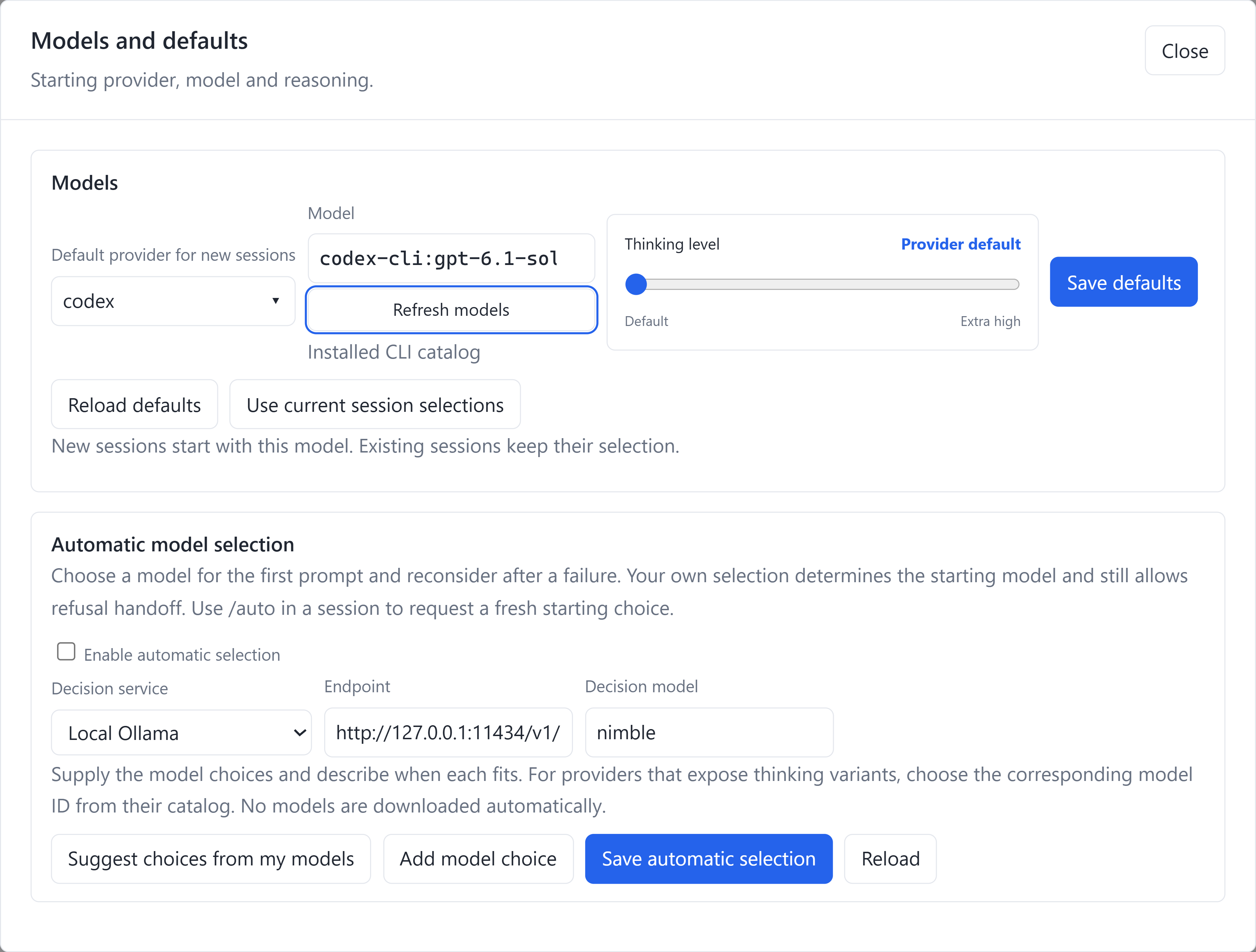
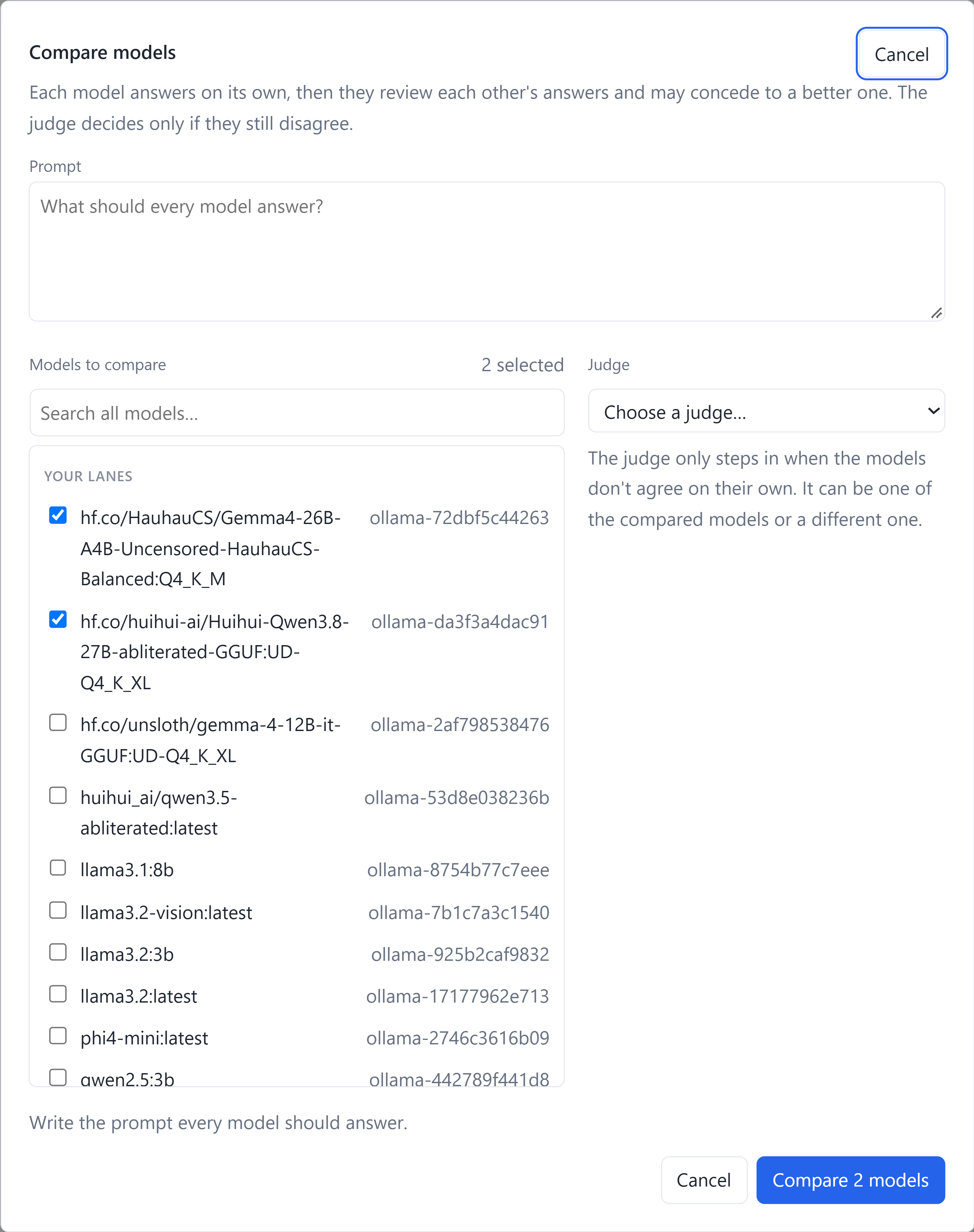
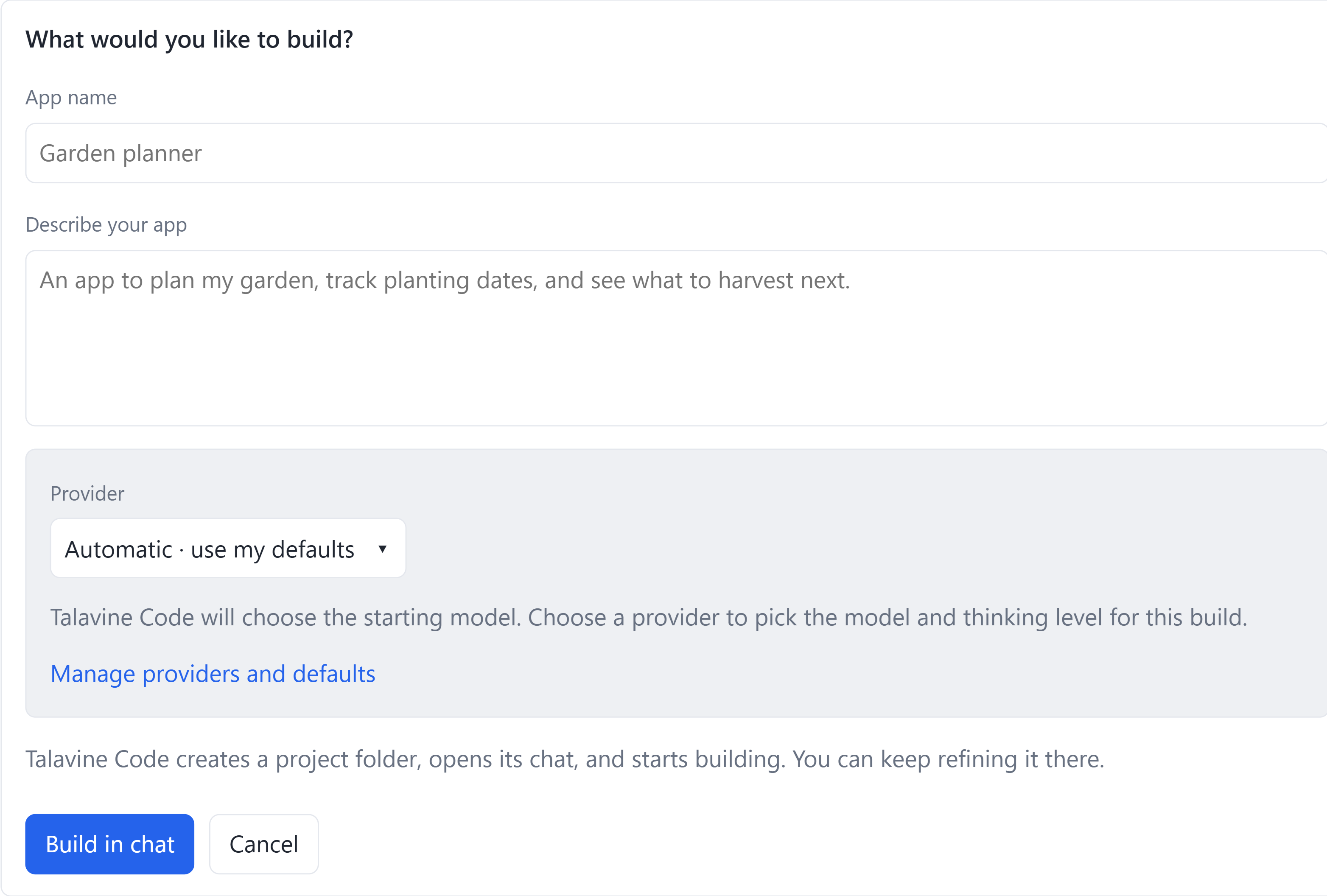
These are lossless, high-resolution PNG captures of the real Windows app, cropped to the relevant controls. They show a development build; UI can differ from the installer. They show setup, not benchmark results or completed builds.
Choose models and configure automatic selection. The optional selector is off in this capture. Enable it and supply model choices to use automatic routing.
Pick contenders and a judge. The comparison dialog includes available
configured lanes, including installed local models. /compare and /review open this workflow; the terminal
uses --judge rather than a separate /judge command.
Start building an app from the UI. This form shows the garden-planner example placeholders. Describe your own app, then build and refine it in chat.
Return to an app without hunting for its folder. In My Apps and Projects, choose Run app to launch it or Work on this app to reopen its coding chat. Files & details opens the app's files and launch setup. This real development build capture uses prepared demo apps; Garden planner was launched locally and its coding chat reopened to check the controls.
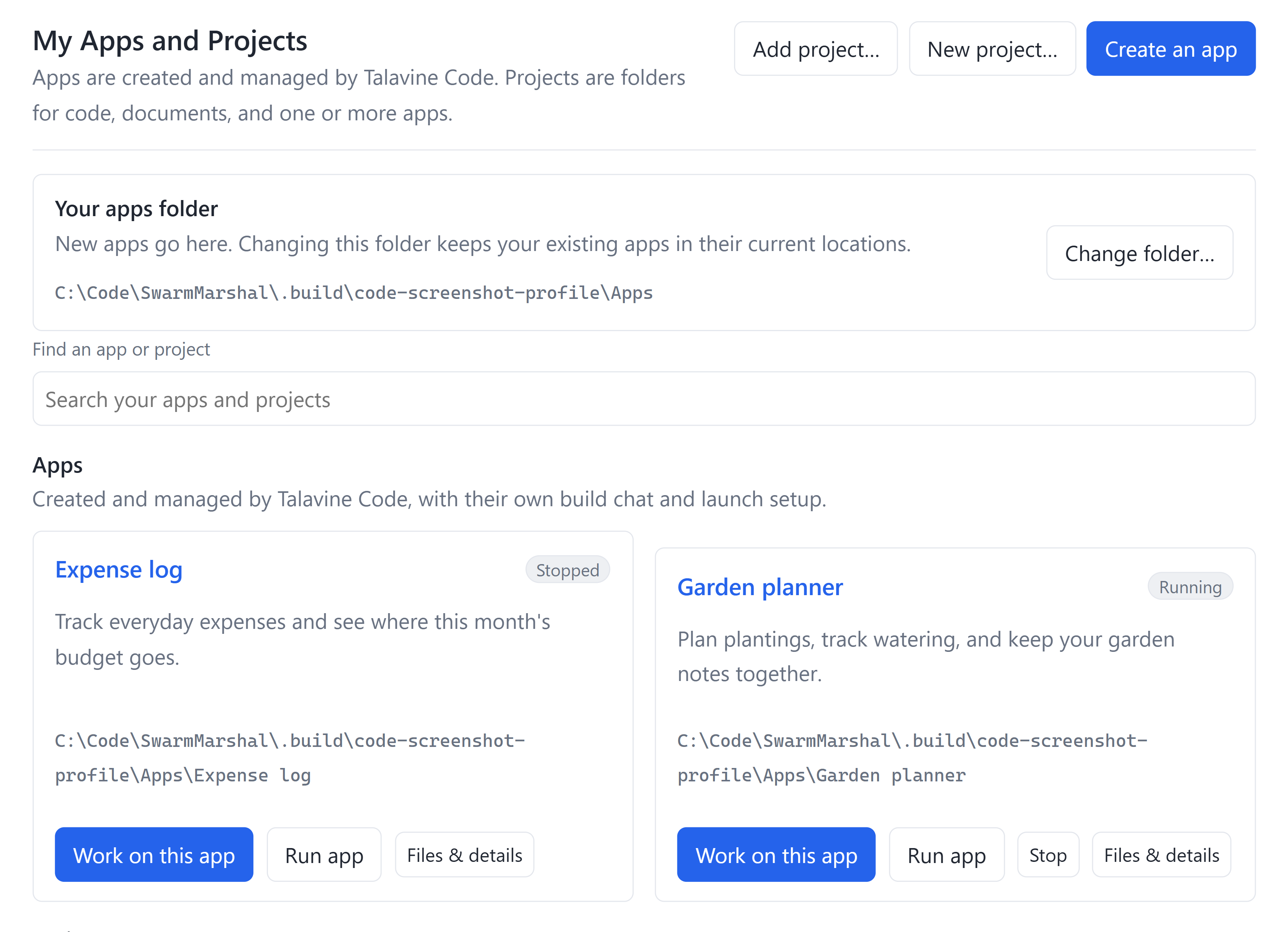
See the app library on the Code page.
Explore the Code page and full-size screenshots.
For example, after configuring the named API lanes:
/compare --models openai,anthropic,gemini --judge openai Propose three ways to add offline sync to this app. Compare failure recovery and implementation effort.
Comparison produces proposals and a review; it doesn't apply several competing implementations to your repository. Provider calls are billed by your services.
Stop being your AI's external hard drive
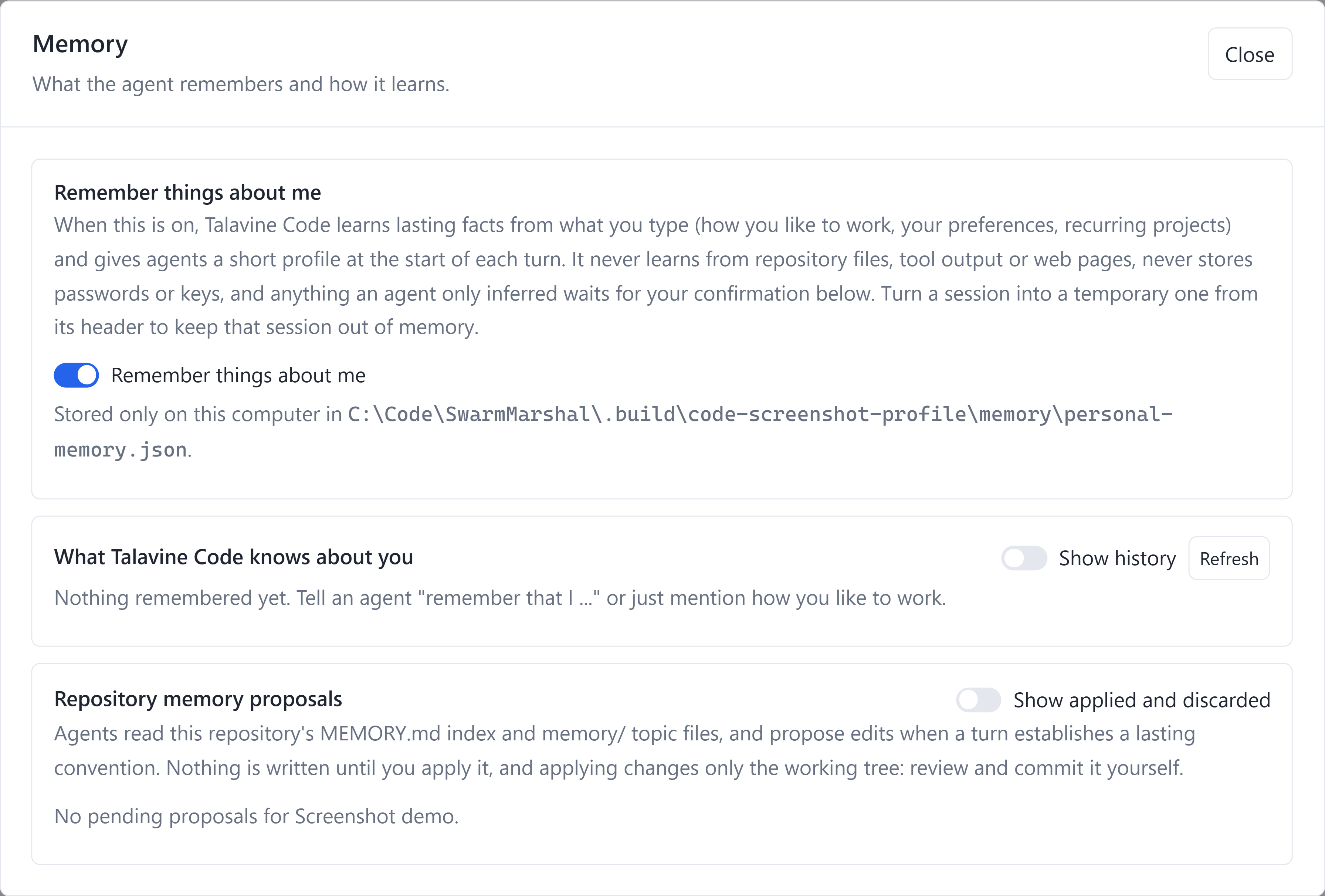
The daily reintroduction gets old. With personal memory enabled, Code learns lasting preferences from what you tell it and supplies a short profile to supported models on later turns. Inspect, edit, hide, or forget memories; inferred suggestions wait for confirmation. Temporary chats keep personal memory off. Memories live locally, while relevant recalled information is sent to your chosen model when it answers.
Repository memory is separate: agents read MEMORY.md and topic files, then
propose changes to lasting project conventions. You review and apply proposals
before they change the working tree, and decide when to commit them. Model-response
history also records scoped outcomes and request fingerprints to inform fallback
choices, without storing raw prompts, replies, or credentials in that history.
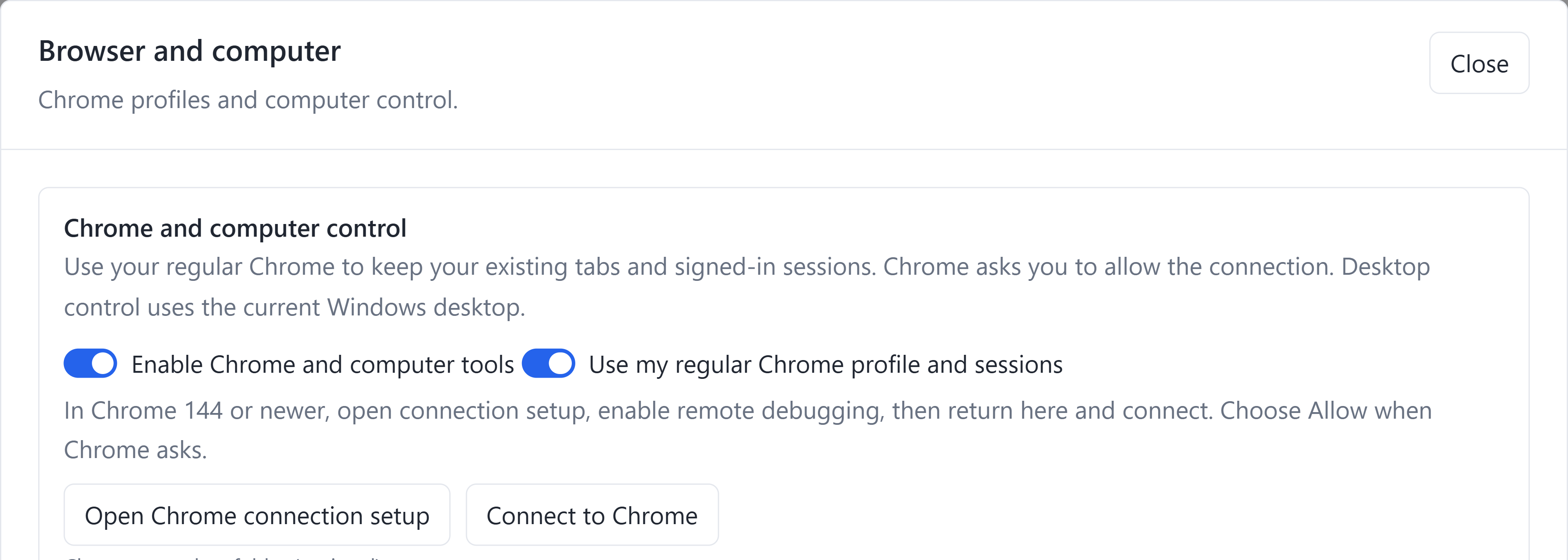
Give your coding agent hands
Code's browser tools can observe, click, type, and navigate in connected Chrome. Use your regular tabs and signed-in sessions after enabling Chrome's connection and approving it, or choose a separate persistent Code browser profile. Desktop tools can observe and interact with supported native apps. Windows uses the current desktop; the native Mac host requires Screen Recording and Accessibility access. Your permission mode and OS access requirements still apply.
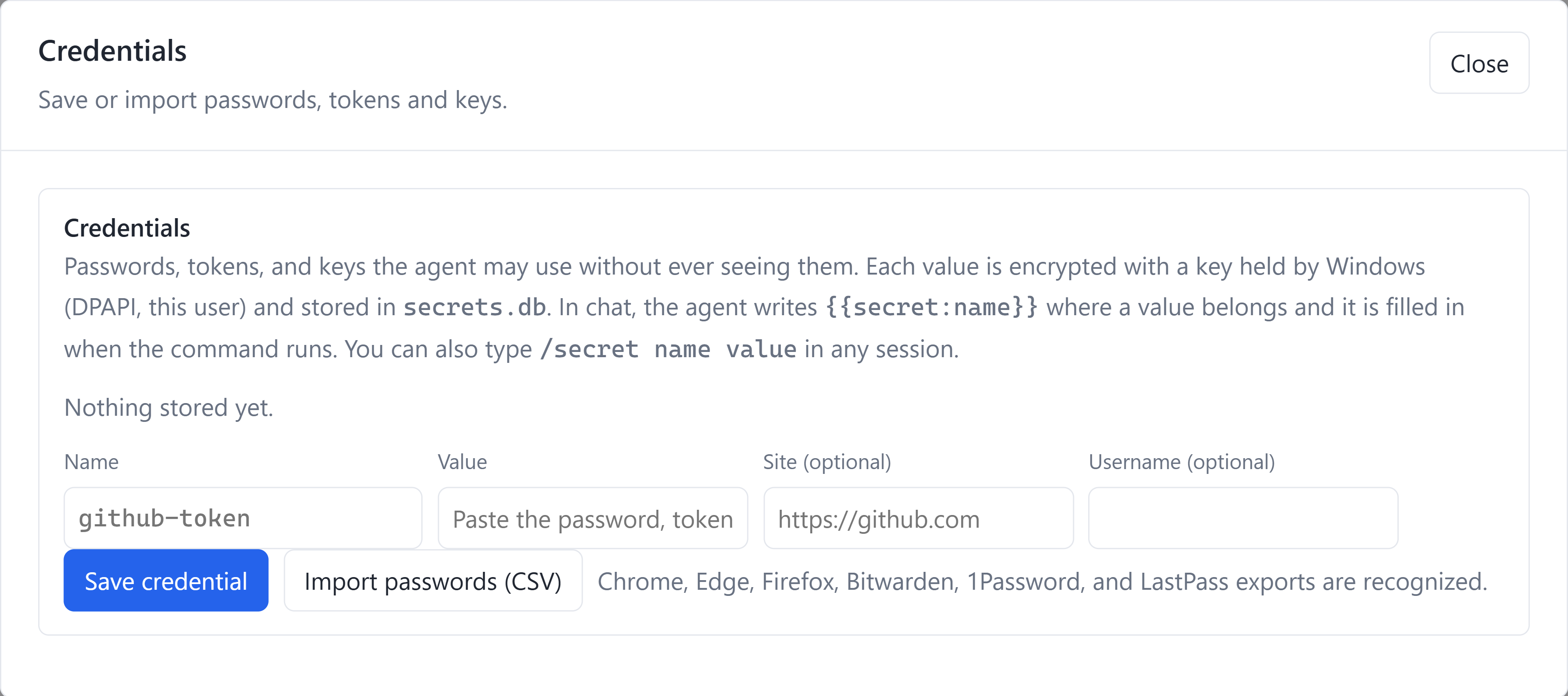
Stop pasting passwords into chats
Save named passwords, tokens, and API keys in the credential vault, or import a
supported password-manager CSV export. With the OS keystore available, values
are encrypted using Windows DPAPI or native Mac Keychain protection. Tools can
use {{secret:my-service}} references that the host resolves when the operation
runs, rather than putting the password into each model prompt. Explicit /secret
intake is handled locally; prefer the credential form for entering values.
This protects stored credentials and supported secret-reference workflows; project files, chat history, and personal memory have separate storage. Check the app's keystore status. Password export files themselves are sensitive.
Make Code work on its own bugs
Developer self-improvement (RSI), available in Debug/source builds.
Debug builds run from a source checkout include an optional idle repair loop. It records encountered defects and requested capabilities, works on queued items in isolated Git worktrees, and runs configured build and test acceptance checks. Verified fixes remain inspectable on branches; follow their sessions and evidence, pause the queue, and use the supported merge/rebuild/relaunch workflow. Automatic merging is a separate configuration choice. The public Release installer does not enable this developer loop, and a model's proposed fix alone is not verified.
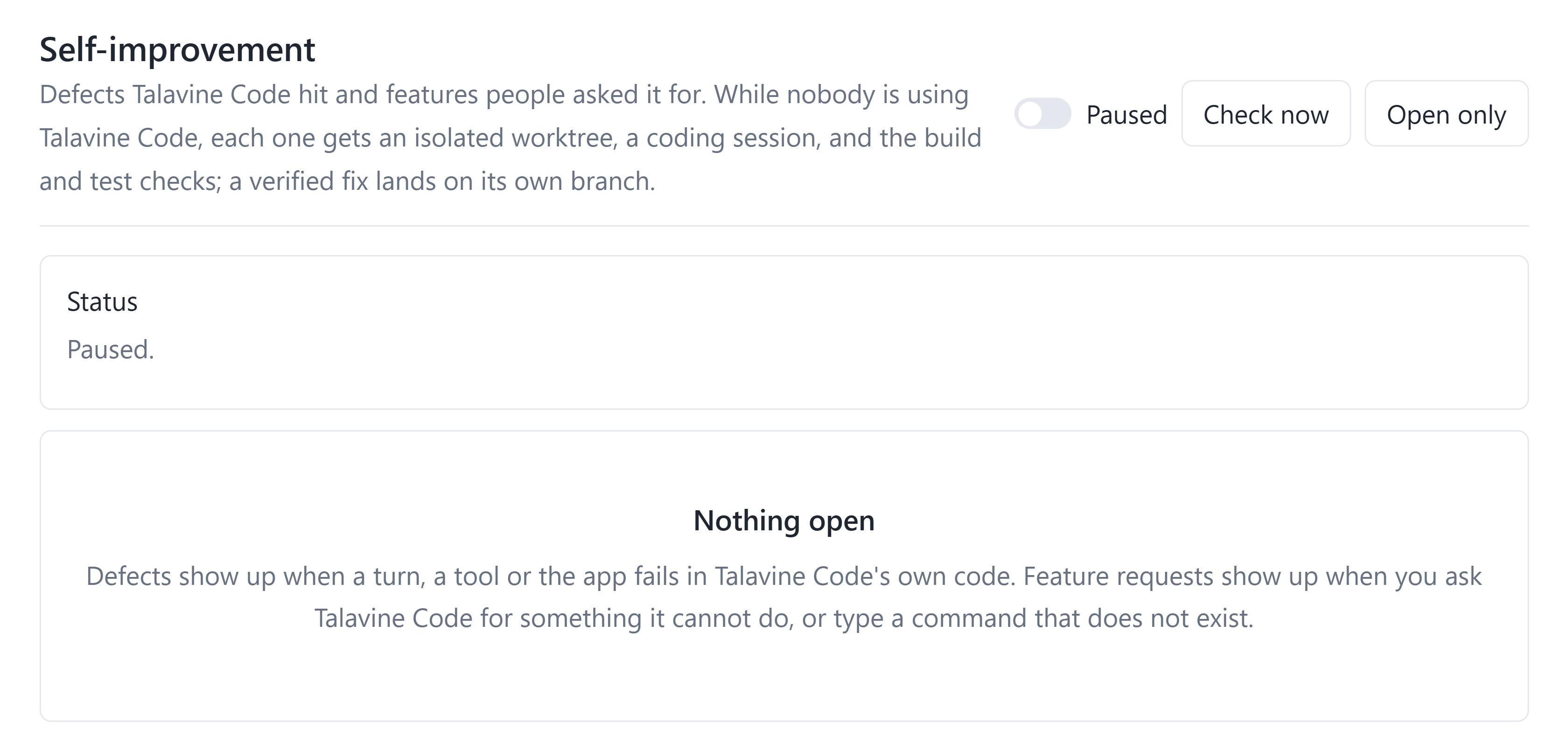
AI overview also exposes a separate harness-learning workflow with start/pause, measured progress, token usage, and rollback. New scopes start paused; this is distinct from the developer repair queue.
Other available workflows include parallel agents, scheduled coding jobs, cross-project chat search and work summaries, usage reporting, work limits, and configured acceptance commands. See the Code page for the feature tour and current setup notes. These screenshots show controls in an isolated development profile, not completed repairs or automation runs.
Give it the job you've been putting off
The Windows x64 desktop preview includes its .NET runtime, so you don't need the SDK to try the app. Bring a supported coding CLI sign-in or your own model API key, choose a project, and give it a concrete job. Project build tools still depend on what you're building. Apple Silicon macOS source is included; see building.
Created by Scott Crossen. Part of Talavine. I build agent harnesses and integrations, and help turn prototypes into software people can use. For consulting or custom development, get in touch.
Talavine Code can work through supported native coding CLIs or model APIs, use repository tools, retain conversations, and run configured acceptance commands. You choose and authenticate the underlying services. Their subscriptions, API charges, terms, and availability remain separate.
Formerly SwarmCode: the swarmcode executable, .swarmcode configuration,
SWARMCODE_* variables, application identity, and existing local data paths
keep their original names for compatibility.
Start with the terminal
Install the .NET SDK selected by global.json (currently .NET 11 RC2), and Git.
The CLI solution does not require MAUI workloads.
dotnet restore TalavineCode.Cli.slnx
dotnet build TalavineCode.Cli.slnx --no-restore
dotnet run --project SwarmCode -- --help
dotnet run --project SwarmCode -- --list-lanes
dotnet run --project SwarmCode -- --repo /path/to/your/repository
Install and sign in to a supported native CLI such as Claude Code or Codex,
or configure your own supported model API key. Inside the CLI, /help lists
commands; /key openai prompts for a key without putting it in shell history.
Never commit a key, password export, session directory, or local settings file.
Default permission mode is auto. Add --permission-mode ask to approve side effects.
Review permissions before granting access to repositories, commands, browsers,
credentials, or external services. Model-generated commands can change files
and perform external actions. Native CLI restrictions and host tool permissions
have different enforcement boundaries; see security.
dotnet test SwarmCode.Tests/SwarmCode.Tests.csproj --no-restore
dotnet test SwarmCode.Hosting.Tests/SwarmCode.Hosting.Tests.csproj --no-restore
dotnet test SwarmCode.App.Tests/SwarmCode.App.Tests.csproj --no-restore
dotnet test SwarmCore/SwarmCore.Coding.Tests/SwarmCore.Coding.Tests.csproj --no-restore
Tests requiring live providers, personal browsers, or native platform facilities are opt-in or platform-specific. A source build is not desktop installation proof.
Desktop development
The full solution is TalavineCode.slnx. Windows needs Visual Studio with
MSBuild, the Windows SDK, and the matching .NET MAUI Windows workload. Use
Visual Studio MSBuild for Windows XAML compilation. macOS needs Apple Silicon,
the matching .NET macOS workload, Xcode 27, and an appropriate signing identity
and provisioning profile for Keychain access. The Mac host uses native AppKit
and WKWebView with the same Blazor pages; Windows uses MAUI. Do not use someone else's signing
credentials. See building.
Meet the related products
- SwarmSpan connects trusted computers for device-to-device workflows and powers Code's optional paired-peer bridge.
- Talavine is your personal and business data hub for chosen emails, documents, notes, calendars, and supported AI connections.
- Talavine CRM is the separate product for customer relationships and business workflows, with its own accounts and permissions.
Talavine Code works on its own. Links to these products don't imply their apps or private data are included in this MIT repository.
Repository scope
This repository contains Talavine Code and the shared libraries needed to build it. It does not include the Talavine personal/business data application, CRM, website, private databases, private development history, or SwarmSpan's application. The optional peer bridge requires a separately installed, paired SwarmSpan host. Talavine Code works locally without that bridge. See the source layout for the included shared libraries.
Contributing and license
Maintainers publish committed-source updates through an explicit file allowlist, secret scanning, builds, and tests. Shared SwarmCore source is included here so building Talavine Code does not require access to another repository. Public contributions are integrated upstream before export; synchronization stops when the public branch has changes that need reconciliation.
Start with CONTRIBUTING.md. Talavine-owned code in this repository is licensed under MIT. Third-party files retain their licenses; see THIRD_PARTY_NOTICES.md. The MIT license does not imply endorsement of forks or grant ownership of the Talavine name or logo.